Create Security Group
VPC Security Group Concept
Security Group is a set of subnets running in Amazon Virtual Private Cloud (VPC) environment, allowing you to specify rules controlling inbound and outbound traffic.
Create VPC Security Group
Next, we will create 2 SGs representing public subnets (EC2 instance) and ALB (Application Load Balancer)
Access VPC Service. In the left navigation bar, select Security Group. Select create security group
Create Security Groups
| Security Group | Direction | Protocol | Port Range | Source/Destination | Description |
|---|---|---|---|---|---|
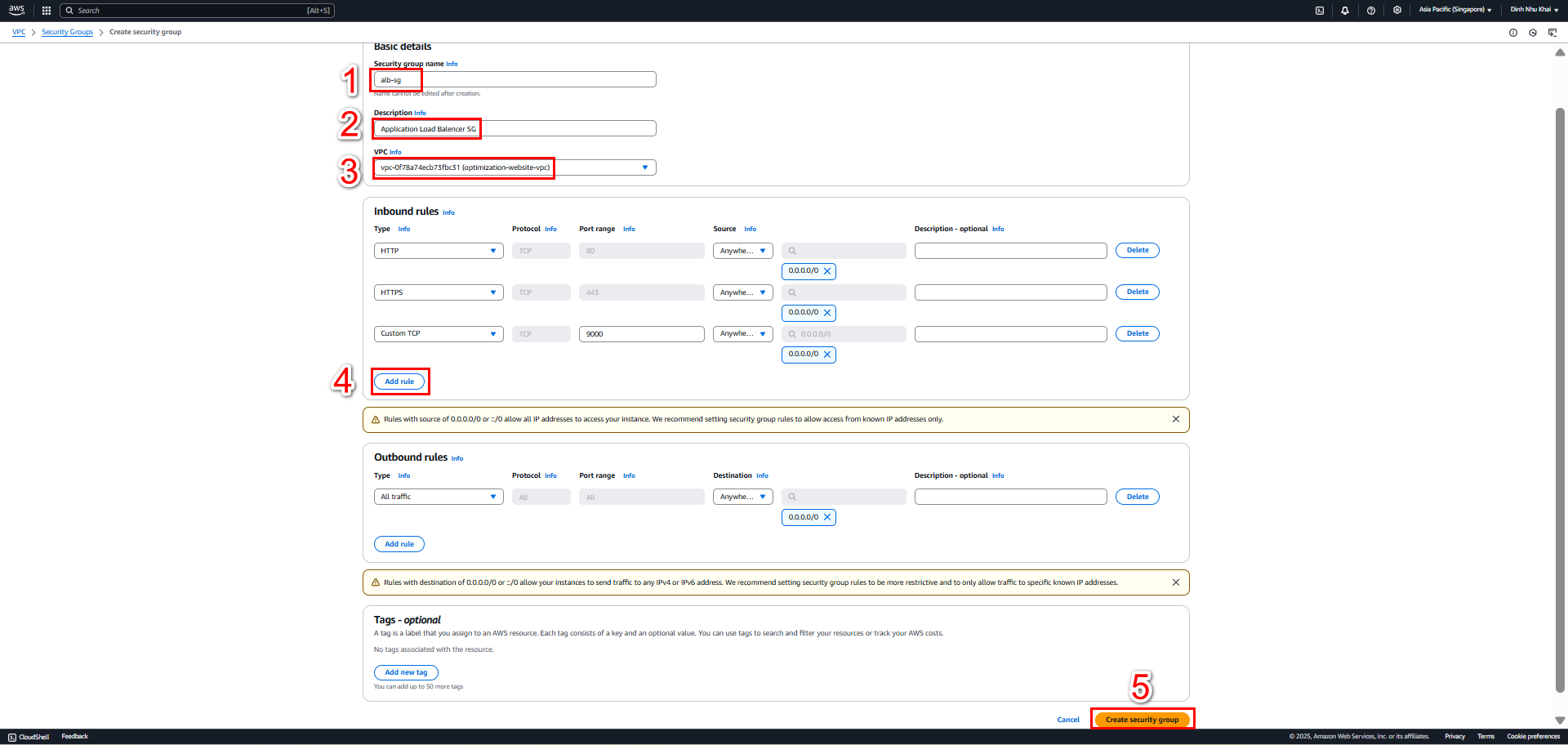
| alb-sg | Inbound | HTTP | 80 | 0.0.0.0/0 | Allow HTTP from internet |
| alb-sg | Inbound | HTTPS | 443 | 0.0.0.0/0 | Allow HTTPS from internet |
| alb-sg | Inbound | Custom TCP | 9000 | 0.0.0.0/0 | Allow traffic to Node.js app |
| alb-sg | Outbound | All | All | 0.0.0.0/0 | Allow all outbound traffic |
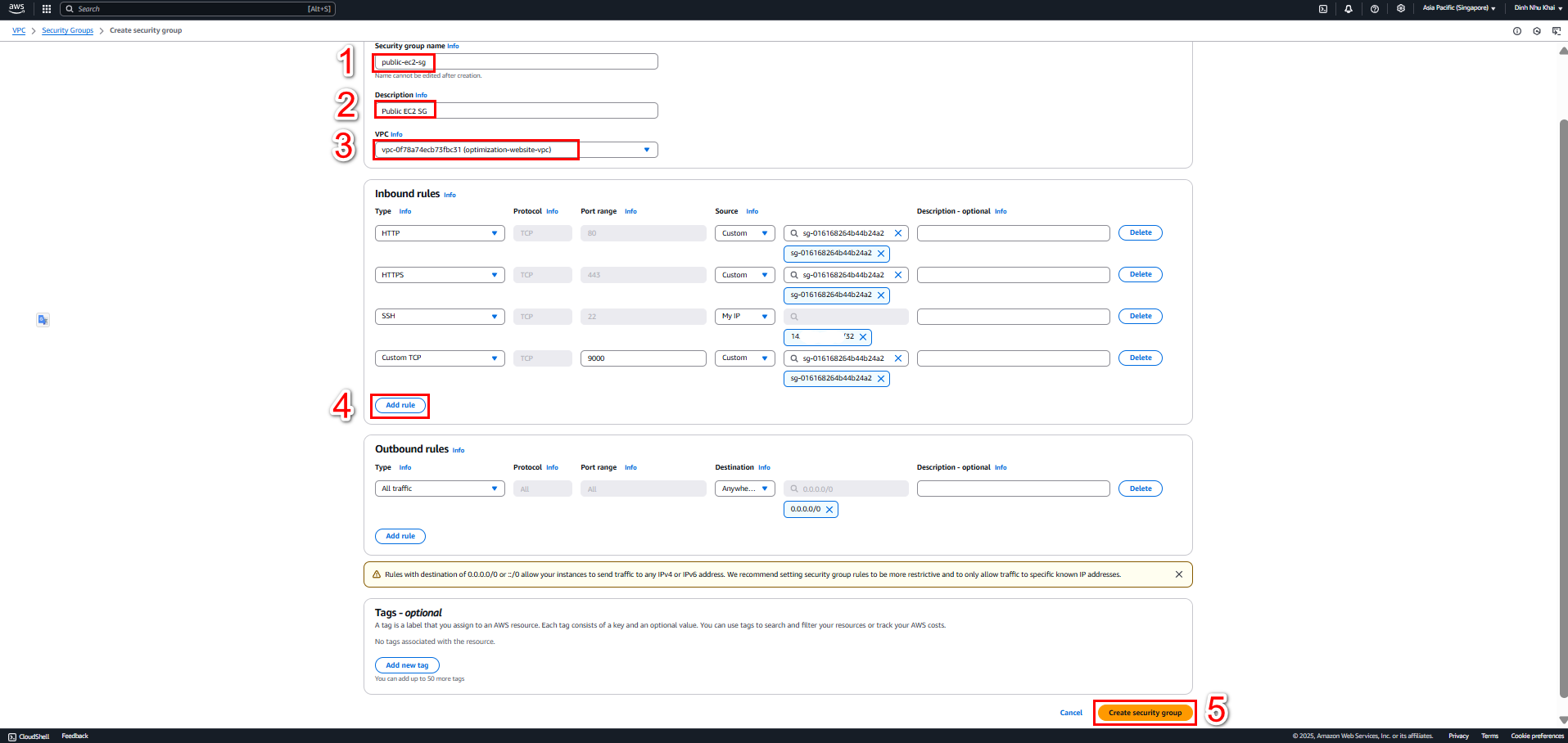
| public-ec2-sg | Inbound | HTTP | 80 | alb-sg | Allow HTTP from ALB |
| public-ec2-sg | Inbound | HTTPS | 443 | alb-sg | Allow HTTPS from ALB |
| public-ec2-sg | Inbound | Custom TCP | 9000 | alb-sg | Allow traffic from ALB to Node.js app |
| public-ec2-sg | Inbound | Custom TCP | 9000 | 0.0.0.0/0 | Allow direct access to Node.js app |
| public-ec2-sg | Inbound | SSH | 22 | All | Allow SSH access |
| public-ec2-sg | Outbound | All | All | 0.0.0.0/0 | Allow all outbound traffic |
2.1. Create Application Load Balancer SG
- In Create Security Group interface, add Basic Details for alb-sg
- Add corresponding Inbound Rules for alb-sg
- Allows all outbound traffic
- Select Create security group
2.2 Create Public EC2 SG
- In Create Security Group interface, add Basic Details for public-ec2-sg
- Add corresponding Inbound Rules for public-ec2-sg:
- HTTP (80) - Source: alb-sg
- HTTPS (443) - Source: alb-sg
- Custom TCP (9000) - Source: alb-sg
- SSH (22) - Source: All IP
- Allows all outbound traffic
- Select Create security group