Create VPC Instance
VPC Concept
In this Workshop, Amazon Virtual Private Cloud (VPC) is used to create a private network, allowing organization and management of resources in an isolated network space on AWS.
VPC gives you complete control over your network environment, from IP address configuration, route tables, Internet Gateway to subnets.
Main use cases of VPC in Workshop
Deploy applications with Auto Scaling Group and Application Load Balancer
Store and manage resources on S3 through Gateway
Ensure high availability with Multi-AZ architecture
VPC Costs
AWS does not charge for creating and using basic VPC features. However, you will be charged for:
- Data transfer between AZs or out of VPC
- Additional VPC services such as NAT Gateways, IP Address Manager, traffic mirroring, Reachability Analyzer, and Network Access Analyzer
Create VPC Instance
In this section we will create a VPC Instance, including 2 AZ, 2 Public Subnets
1. Create VPC Instance
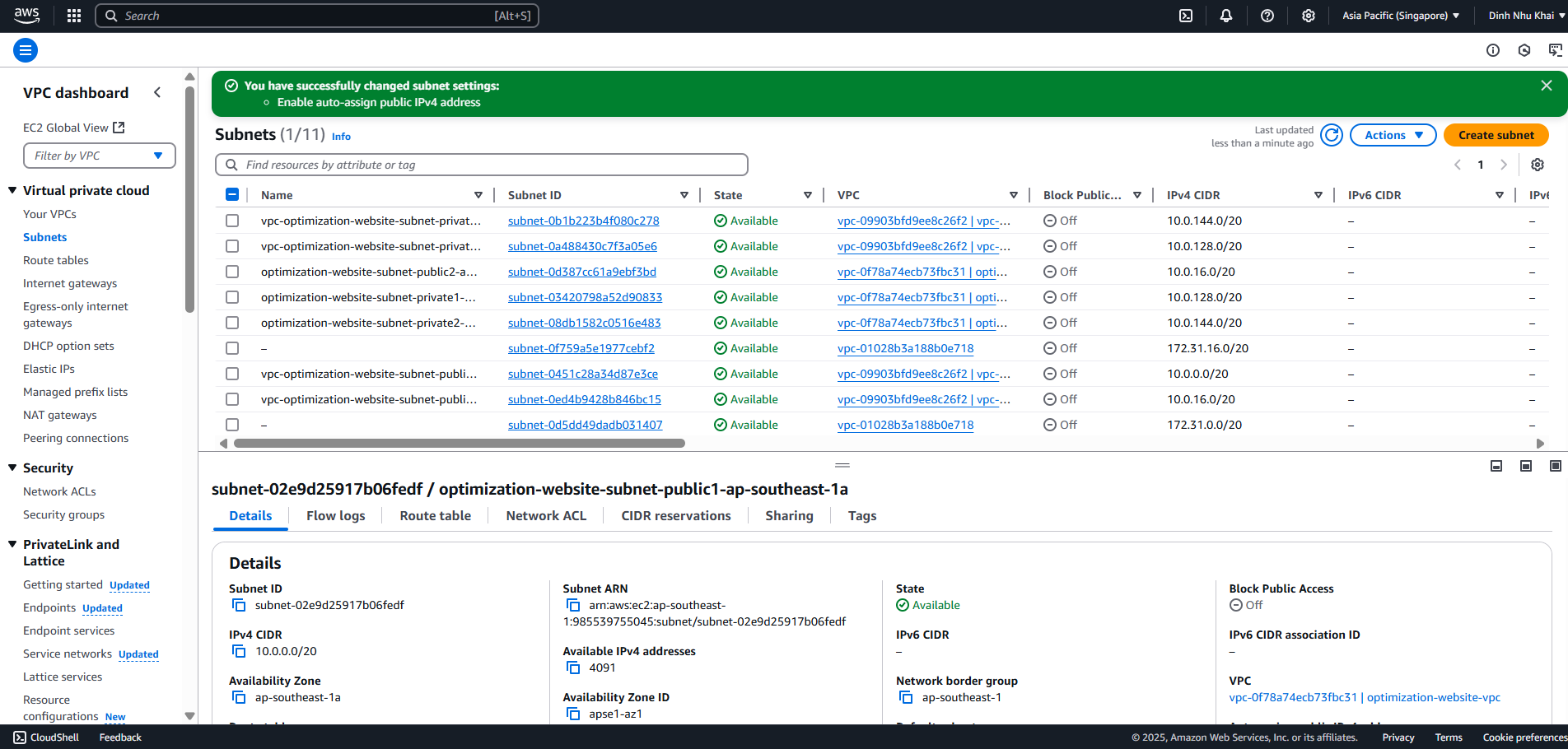
Access Your VPCs, Create VPC
At VPC Settings, select VPC and more option
Set name tag to
optimization-websiteand leave other fields as default, select Create VPC
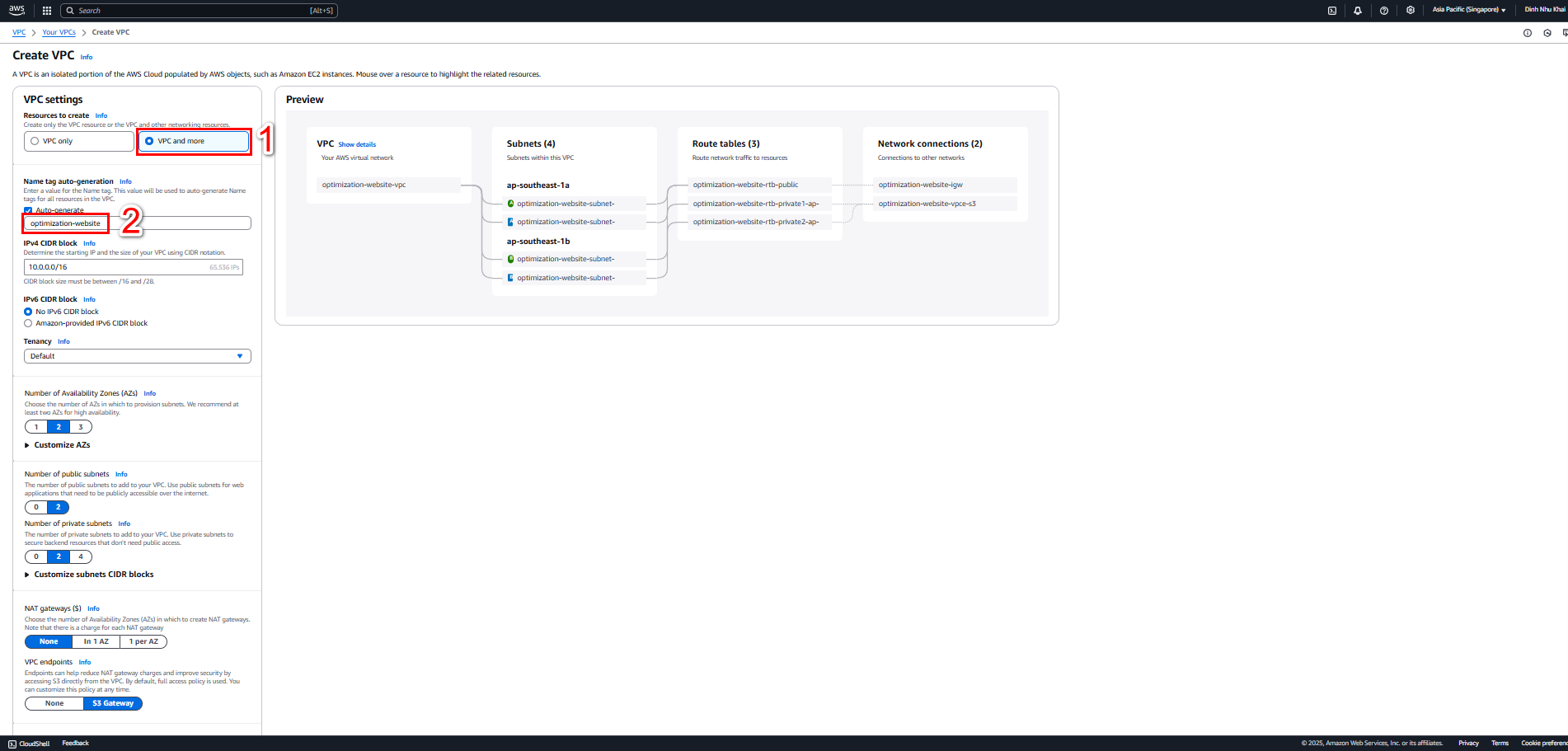
- Successful VPC Instance creation result
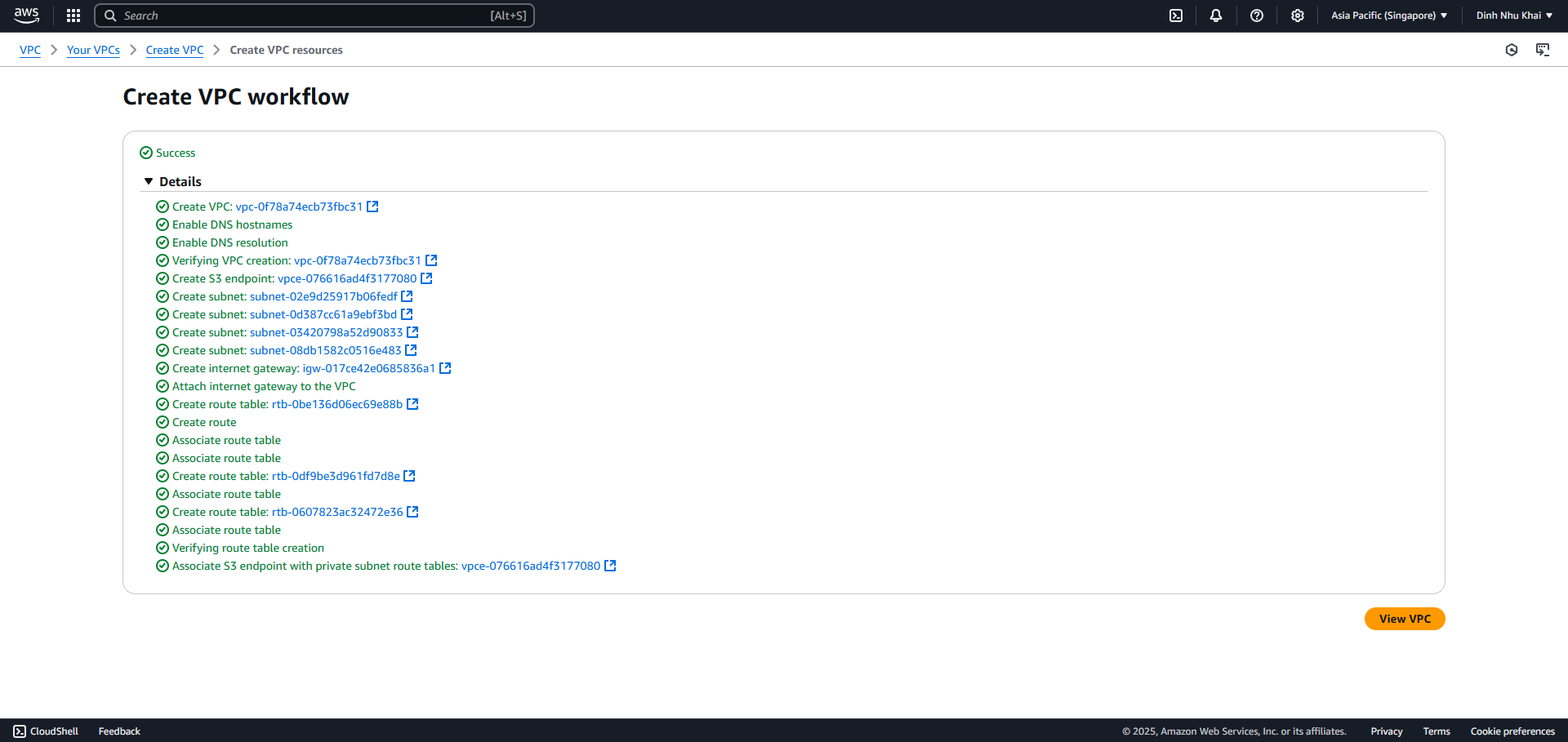
2. Next we will assign Public IP4 to public subnets
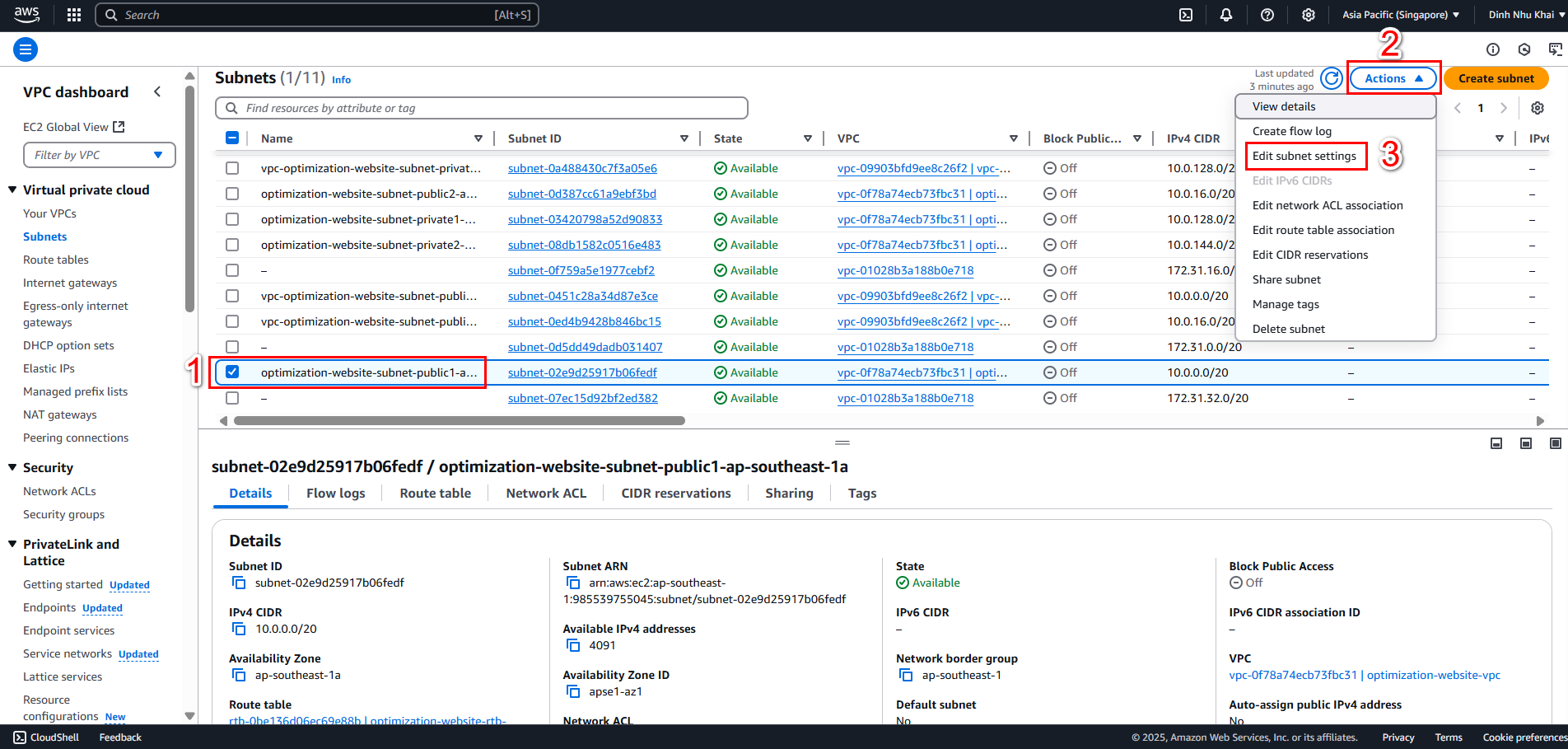
- Access Subnets
- Select Subnet ID of public subnet e.g. optimization-website-subnet-public1-ap-southeast-1a
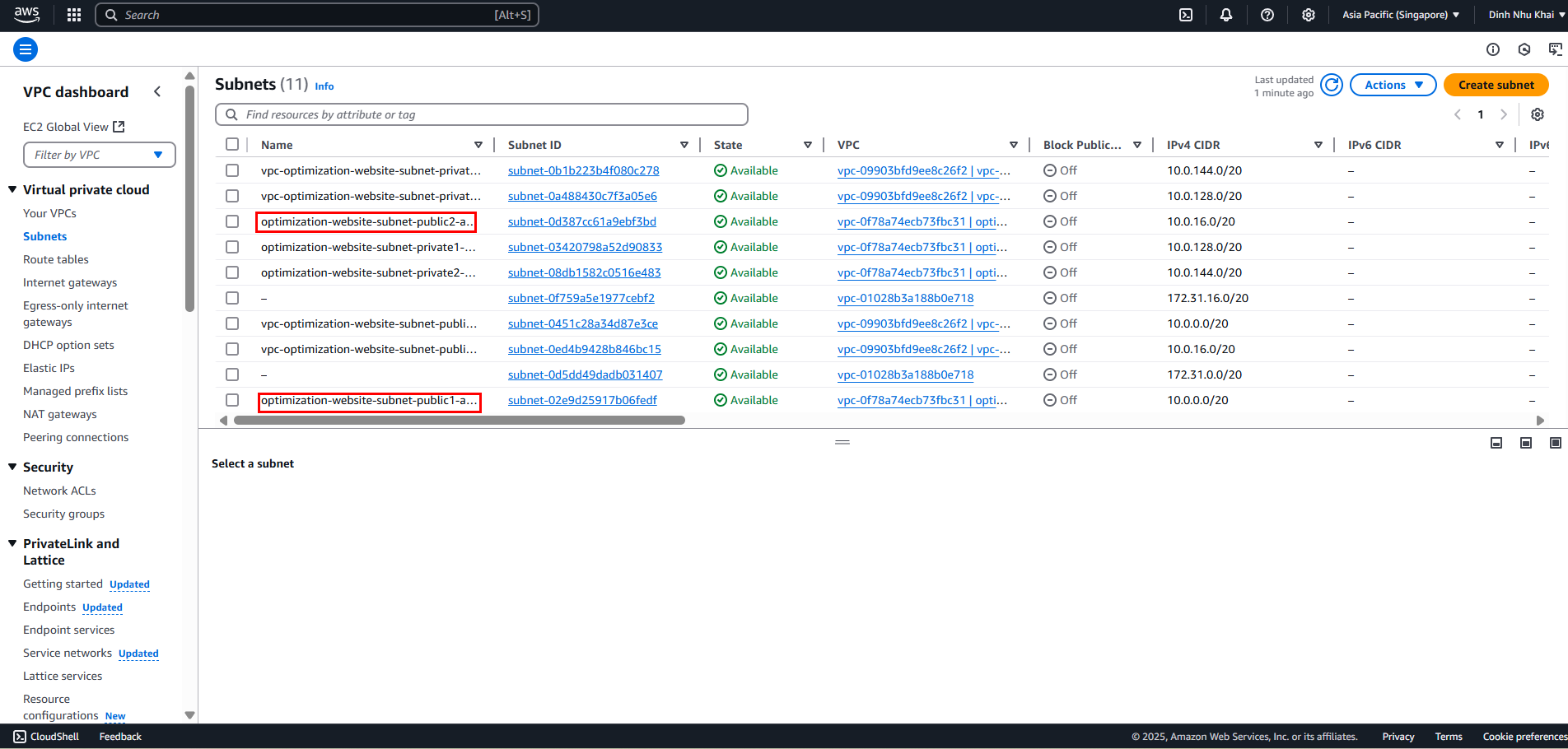
- Select dropdown Actions, Edit subnet settings
- Check Enable auto-assign public IPv4 address, Save
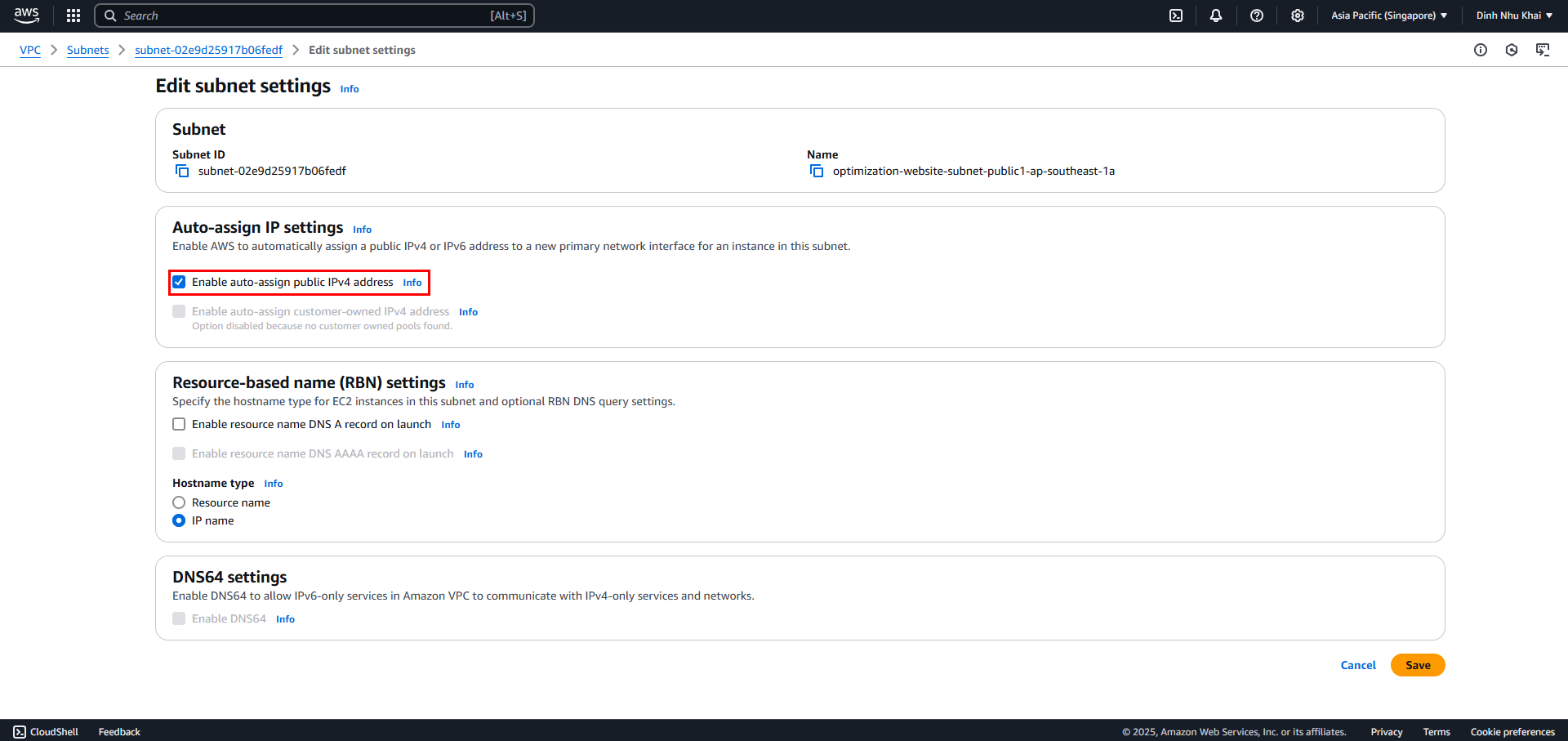
- Complete assigning Public IPv4 for public subnet optimization-website-subnet-public1-ap-southeast-1a