WORKSHOP: OPTIMIZATION WEBSITE WITH AWS
Overview
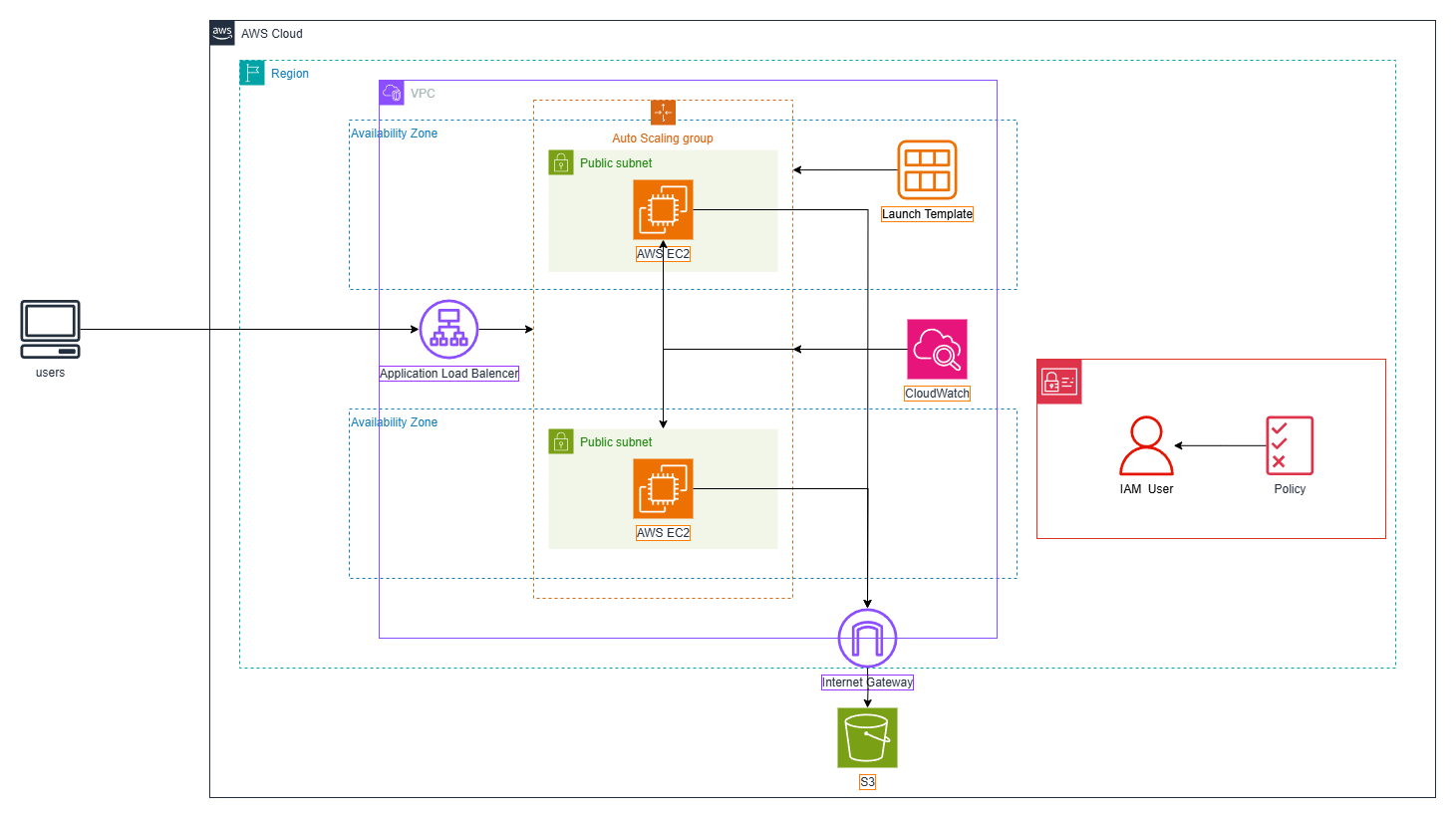
In this workshop, you will learn how to deploy an optimized e-commerce website system on AWS, using EC2, S3, CloudFront, Auto Scaling, and Load Balancer to increase page load speed, reduce operational costs, and improve system scalability.
Objectives
- Understand how to create and configure Amazon EC2, Amazon S3, CloudFront, Auto Scaling, Load Balancer on AWS.
- Learn how to deploy an e-commerce website on EC2.
- Connect and utilize Amazon S3 for static data storage.
- Automatically adjust resources with Auto Scaling based on traffic volume.
- Distribute load with Application Load Balancer to enhance stability.
- Test performance and Auto Scaling workflow.
- Calculate AWS costs for resource and expense management.
Requirements
- AWS account with IAM access rights.