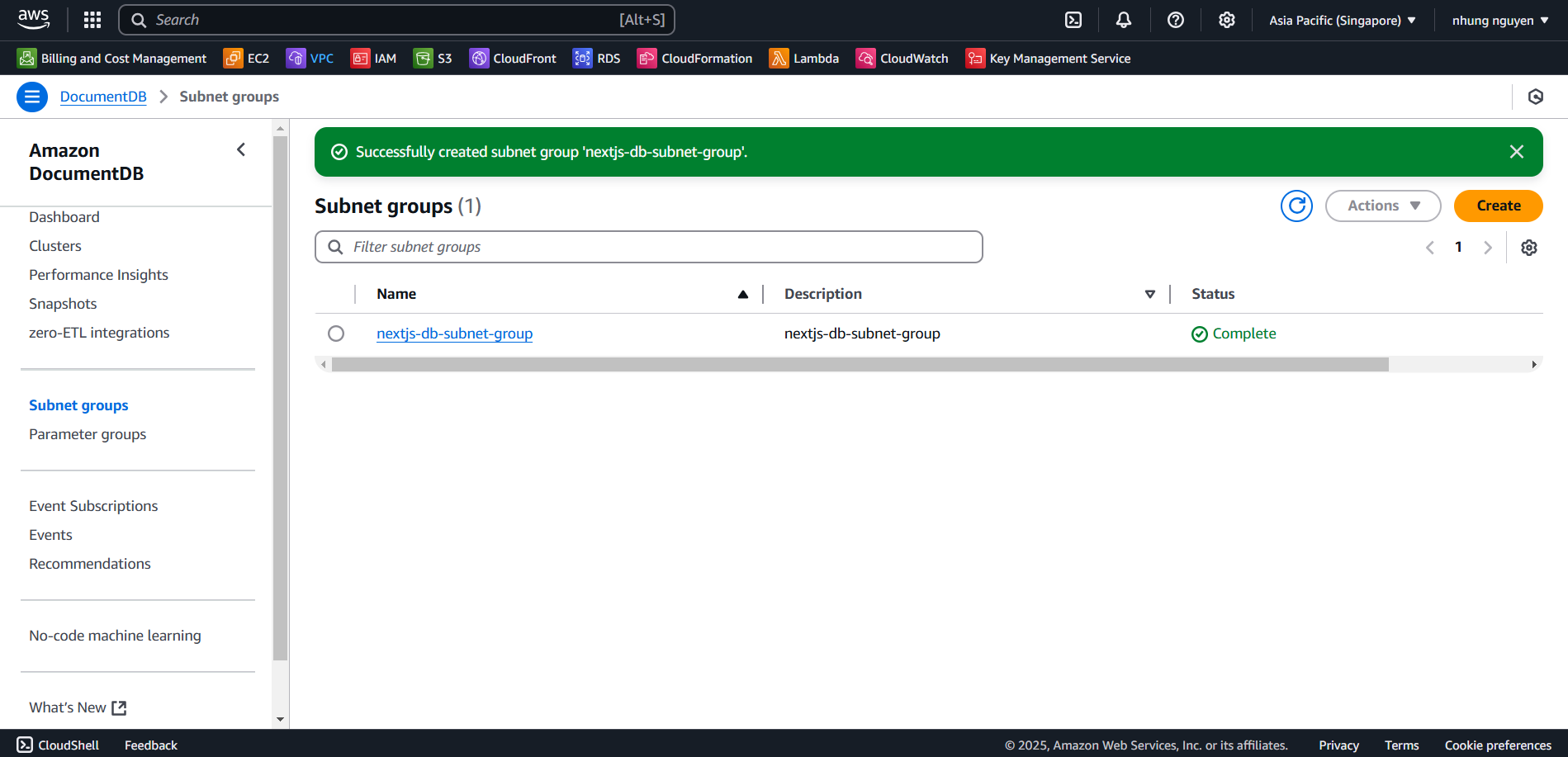
Create Database Subnet Group
What is a DB Subnet Group?
A DB Subnet Group in Amazon DocumentDB is a collection of subnets within a VPC, used to define which subnets the DocumentDB cluster can be deployed in. Each DB Subnet Group must contain at least two subnets in different Availability Zones (AZs) to ensure high availability and redundancy.
Why Create a DB Subnet Group?
Supports Deployment in a VPC: A DB Subnet Group allows you to specify a VPC and designated subnets for deploying an Amazon DocumentDB cluster, improving network control and security.
Ensures High Availability & Redundancy: Amazon DocumentDB requires at least two subnets across different Availability Zones (AZs) to provide fault tolerance. If one AZ fails, the cluster can continue operating in the remaining AZ.
Automatic Failover Handling: If the primary instance fails, DocumentDB can automatically promote a replica instance in another subnet as the new primary. A new replica is then created in the previous subnet to maintain the required number of nodes.
Create a DB Subnet Group on AWS
Follow these steps to create a DB Subnet Group on AWS:
Go to the AWS Management Console.
Search for and select the Amazon DocumentDB service.
In the navigation menu, select Subnet groups.
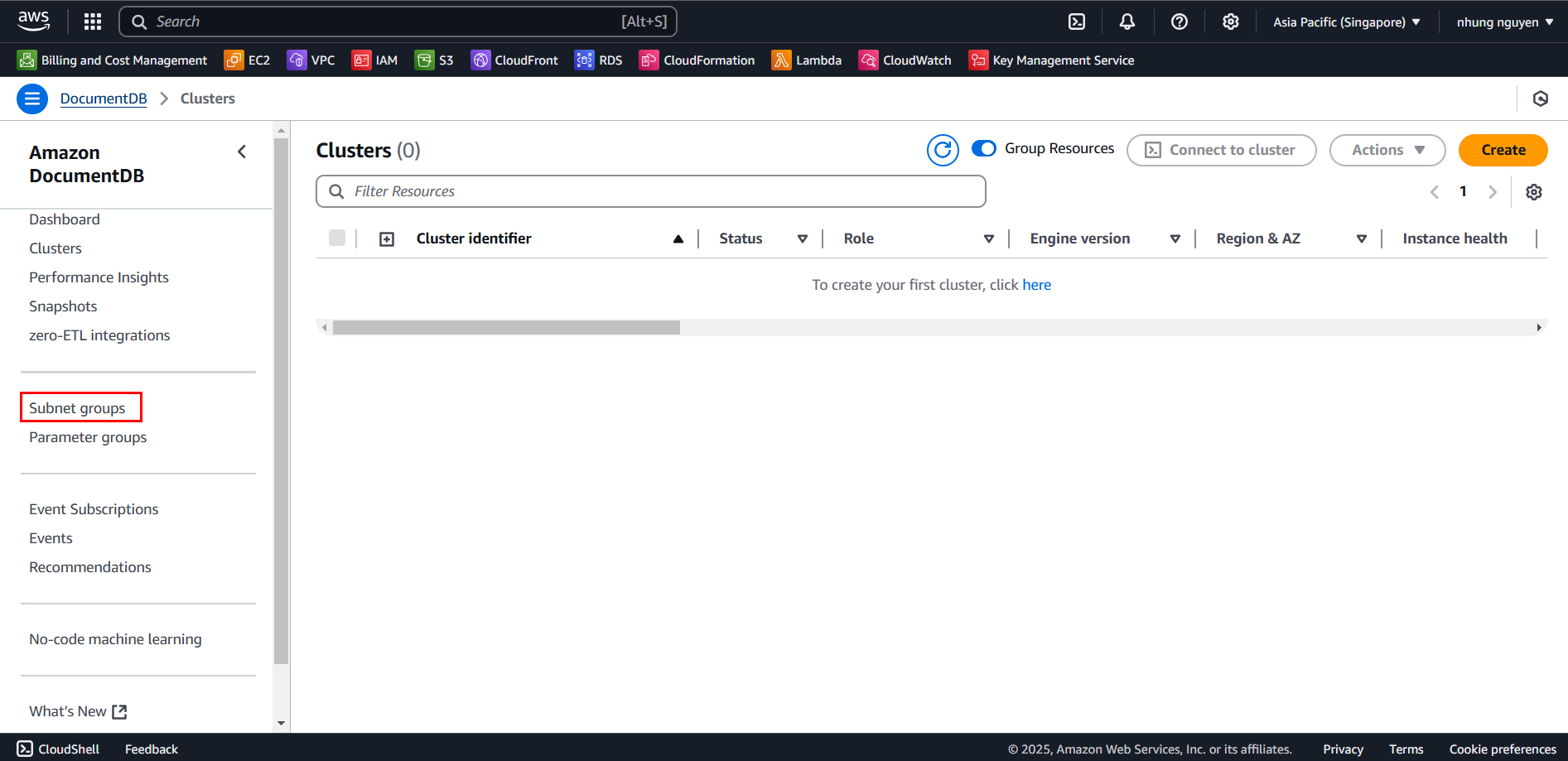
In Subnet groups, click Create.
In the Create DB Subnet Group page:
- Name:
nextjs-db-subnet-group. - Description:
nextjs-db-subnet-group. - Select the VPC you are using.
- In the Add Subnets section, choose the Private Subnets:
- Select at least two Private Subnets in different AZs (e.g., subnet-xxxxxx1 in AZ us-east-1a, subnet-xxxxxx2 in AZ us-east-1b).
- Click Add subnet.
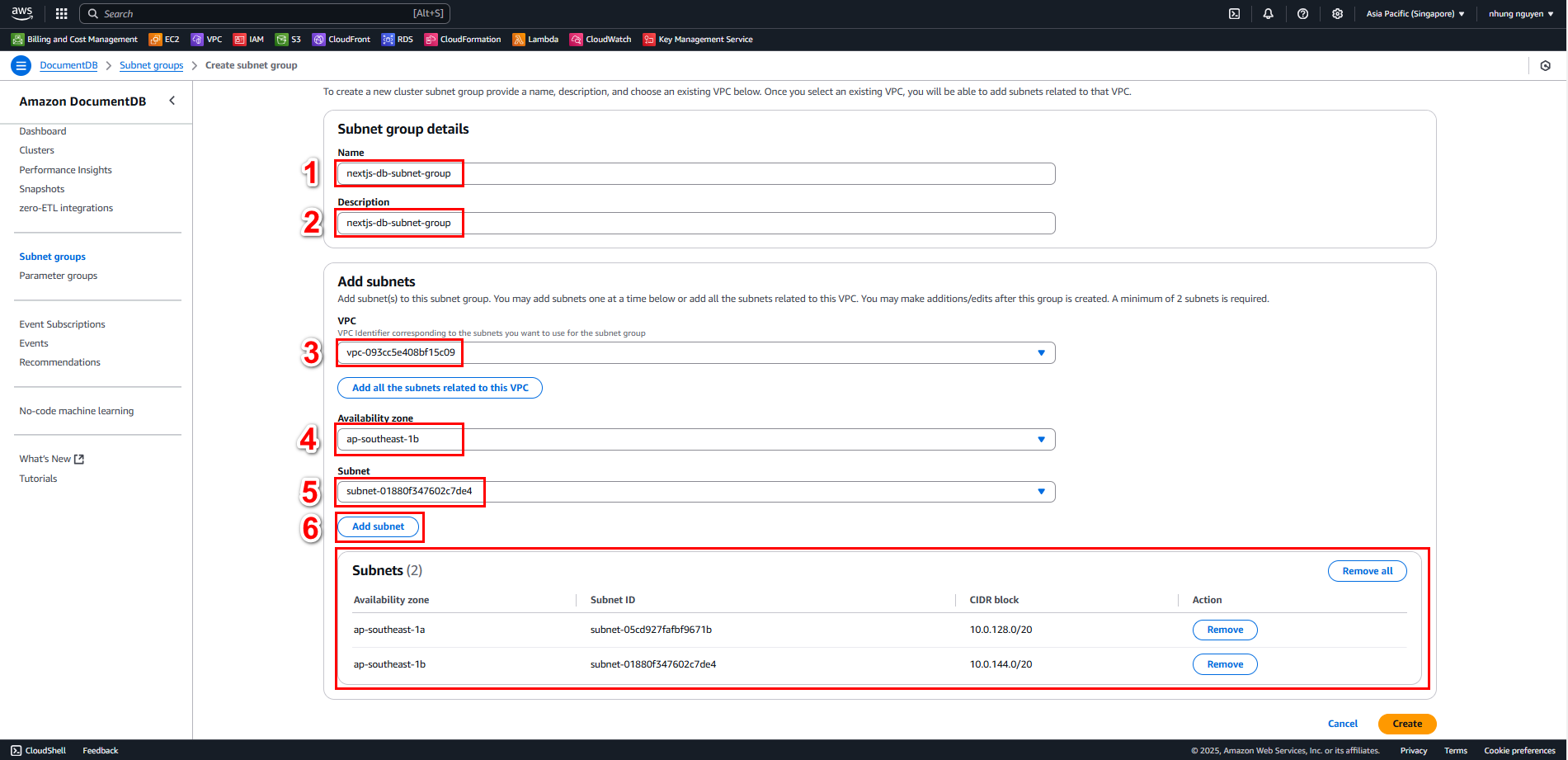
- Name:
Click Create to complete the DB Subnet Group setup.