3.2. Create Dynamodb table
Create table
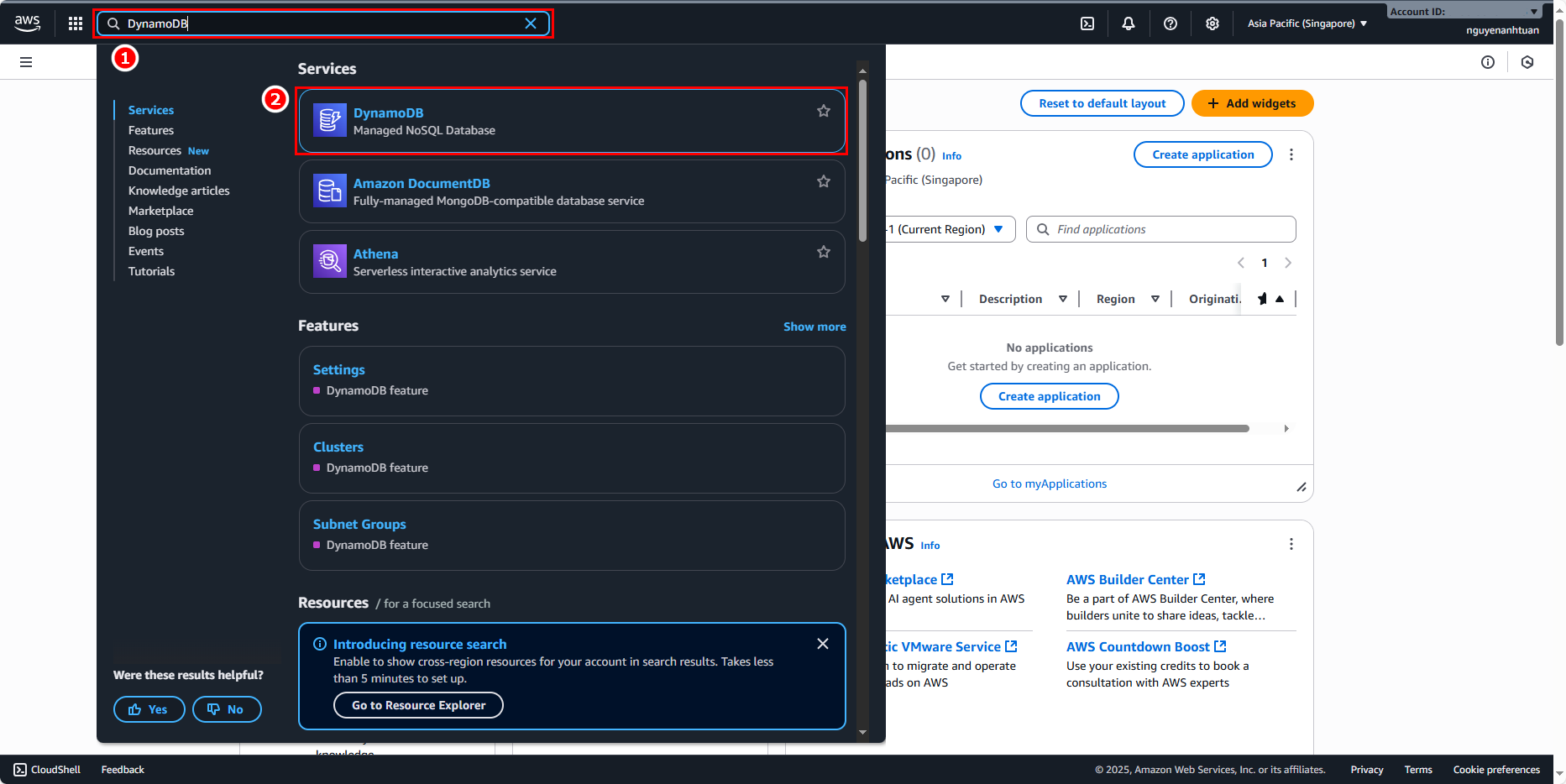
Go back to the console and search for the DynamoDB service.
- Enter
DynamoDB. - Select DynamoDB.
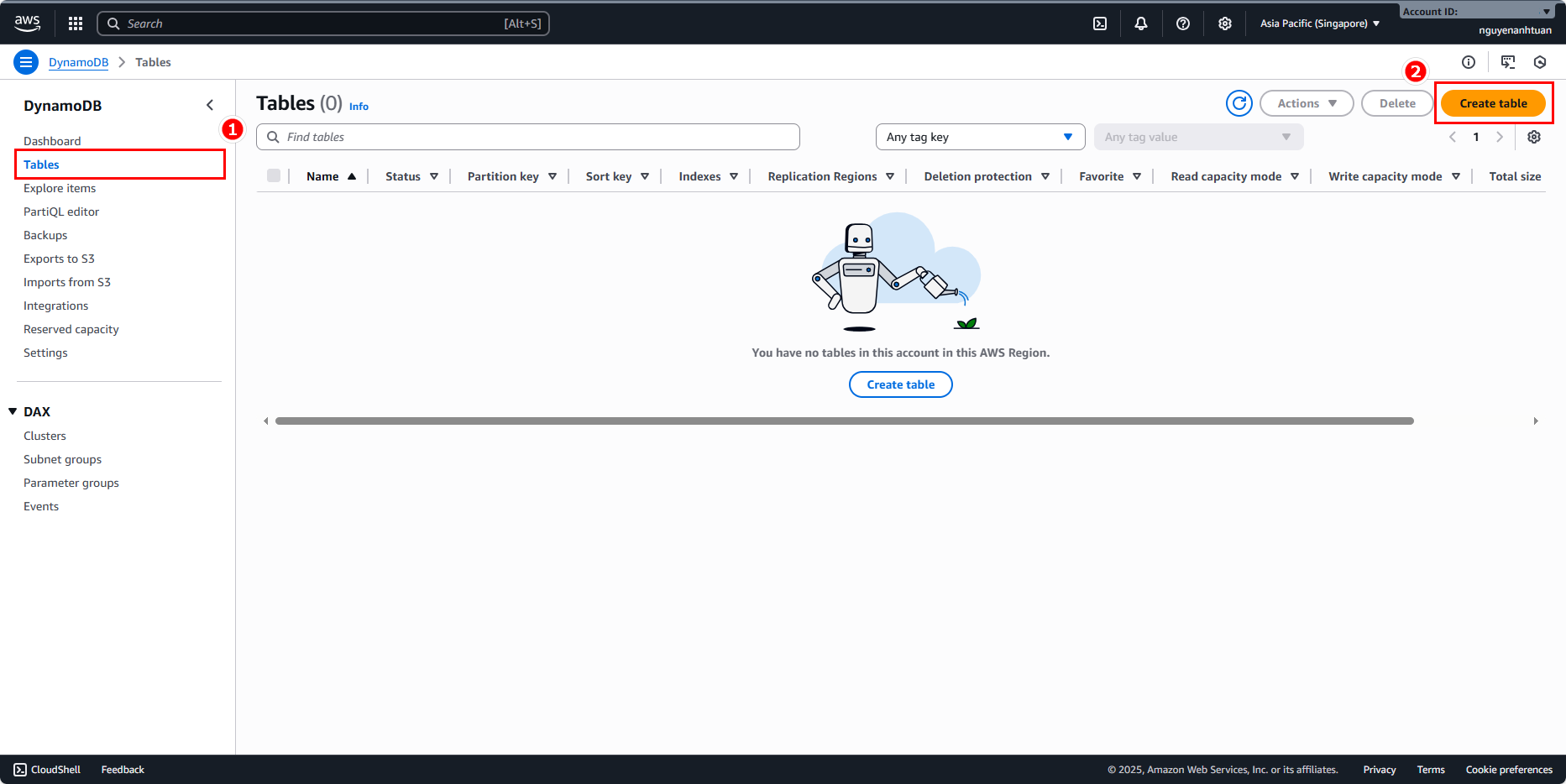
In the DynamoDB console, go to Tables and click Create table.
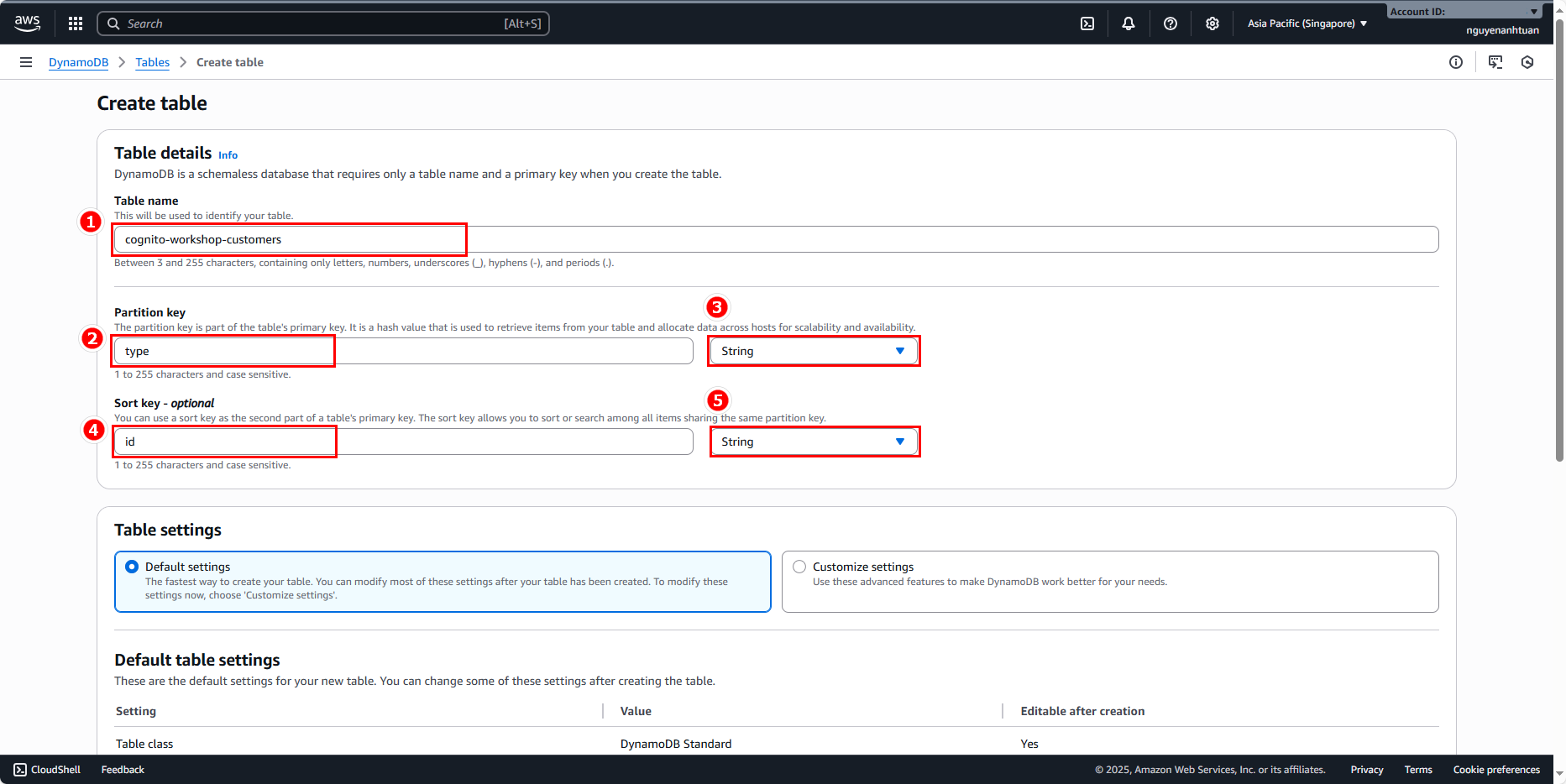
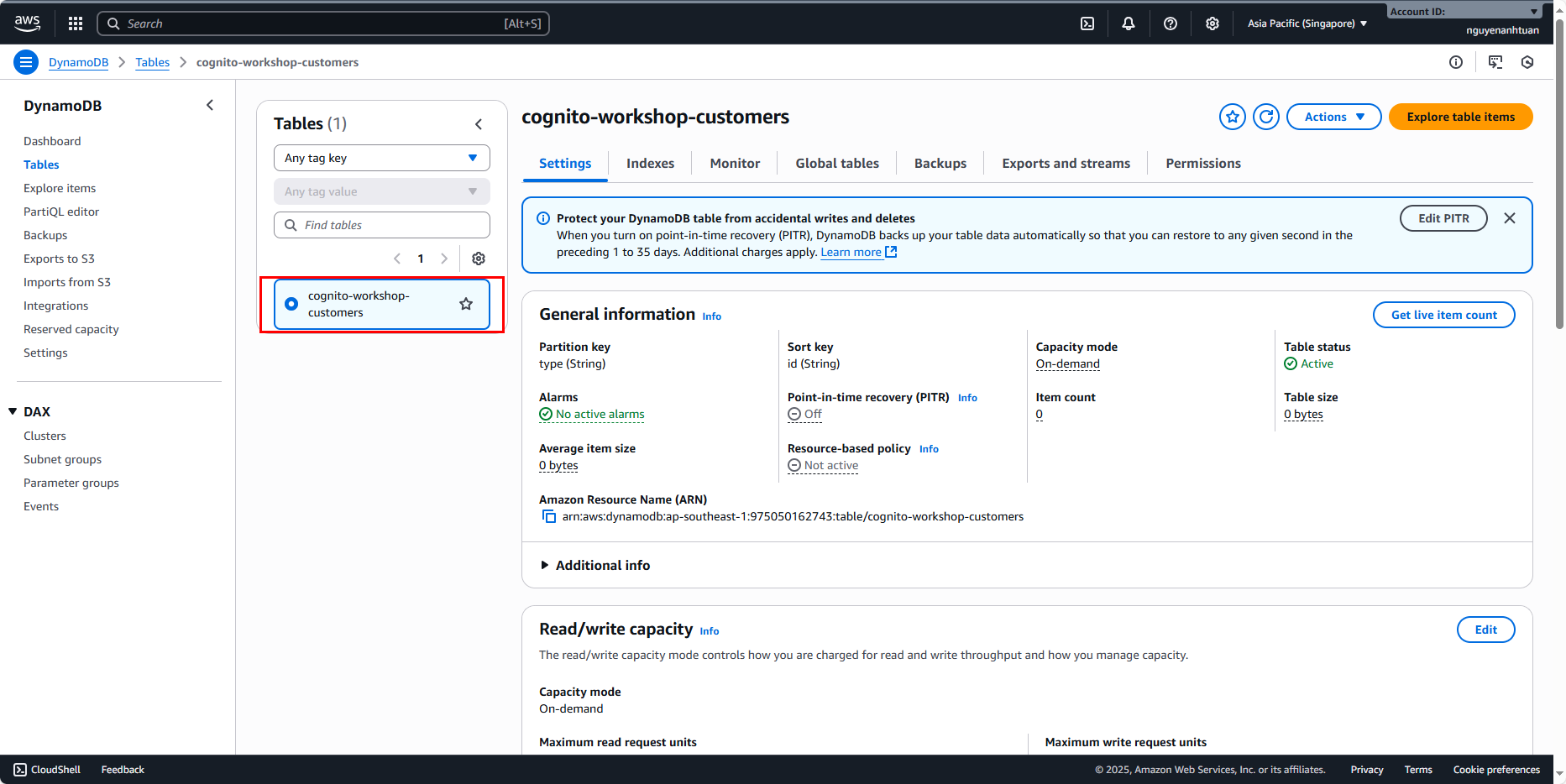
Create a table with the following information:
- Name:
cognito-workshop-customers. - Partition Key: type (String).
- Sort key: id (String).
- Leave the rest as default.
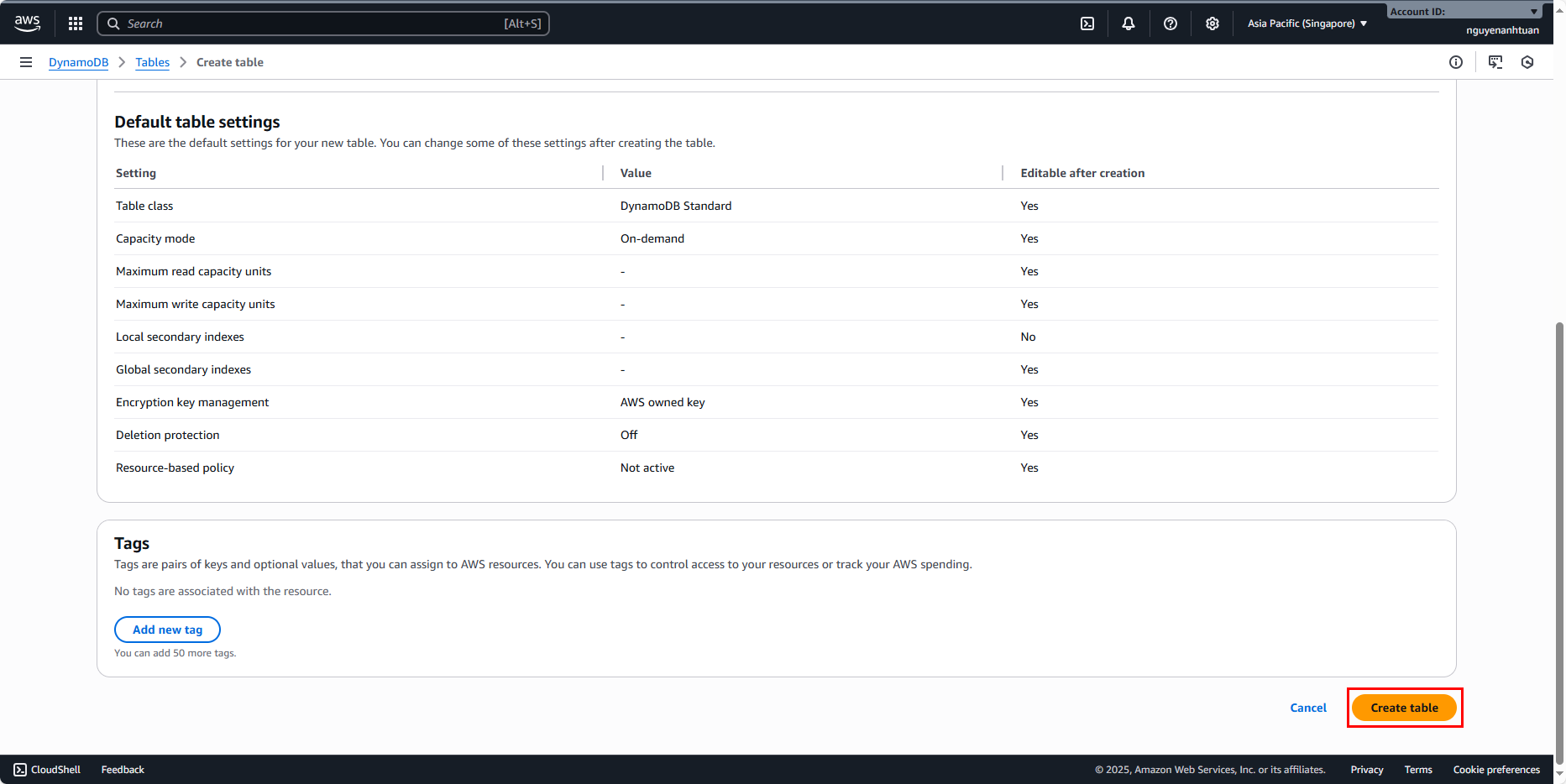
After creating, you’ll have a new table.
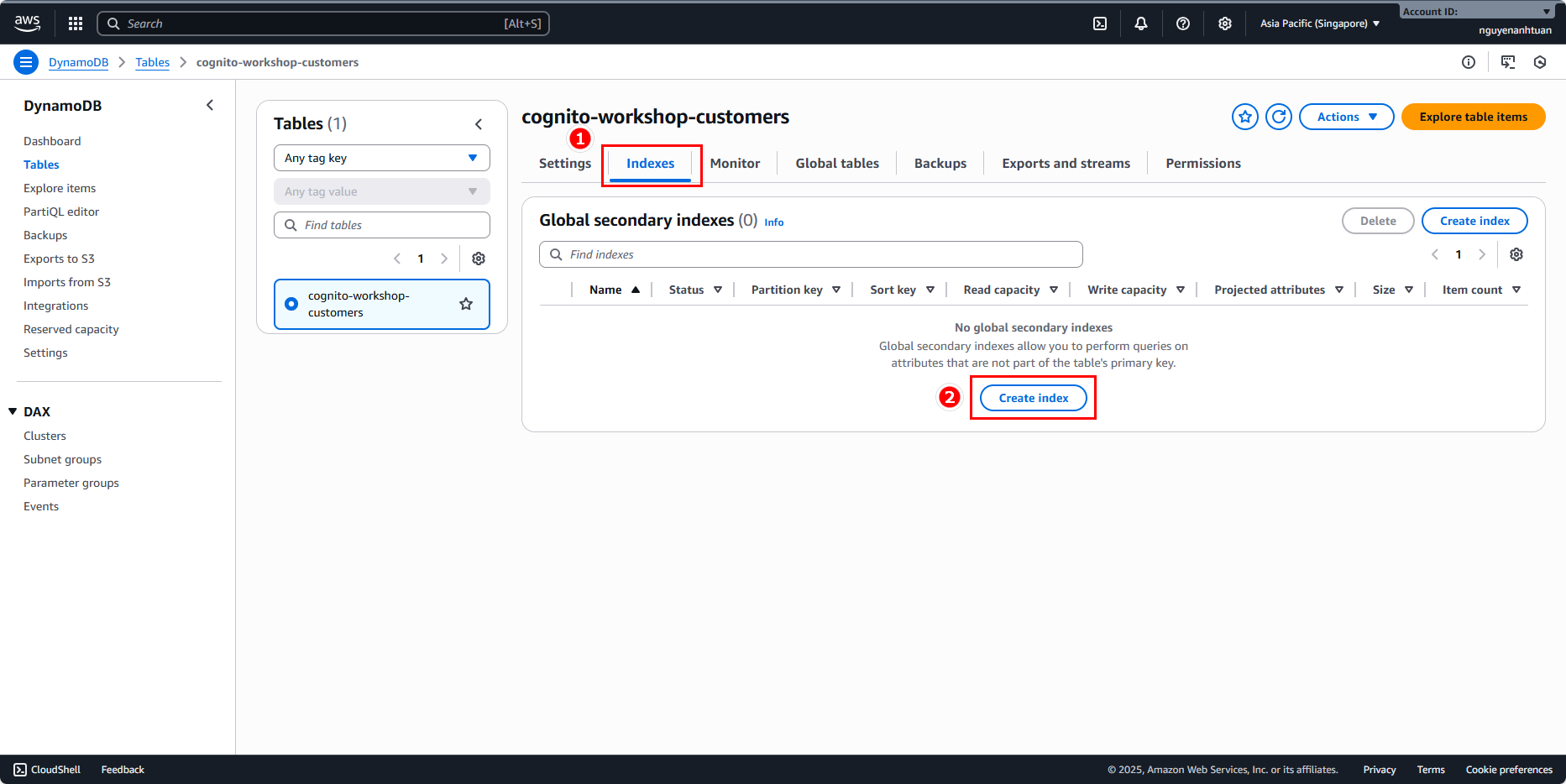
Now let’s create GSIs. Switch to the Indexes tab and click Create index.
We’ll create 2 indexes as mentioned above with the following details:
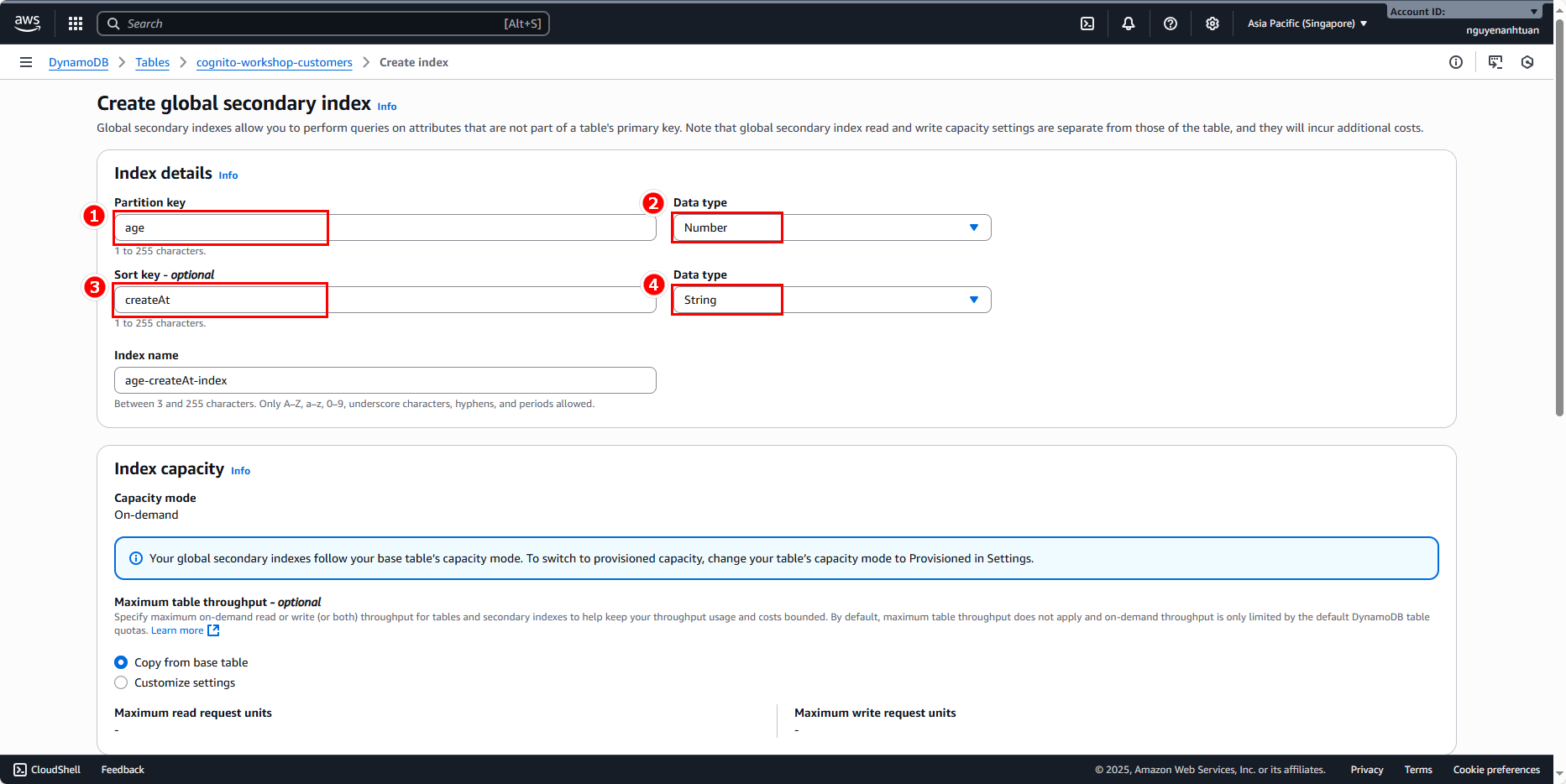
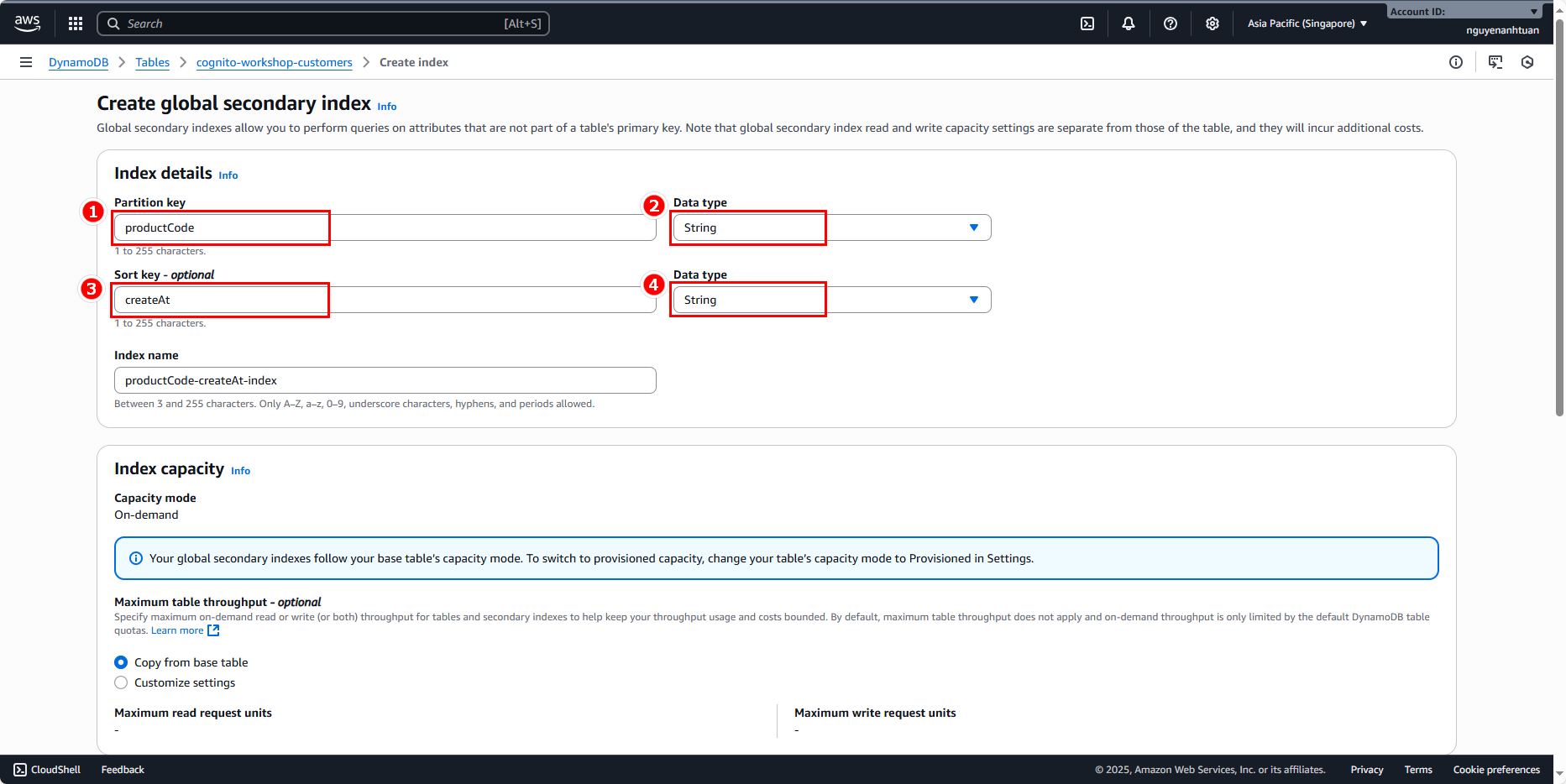
Leave the other settings as default. Wait a while for the two indexes to be created.
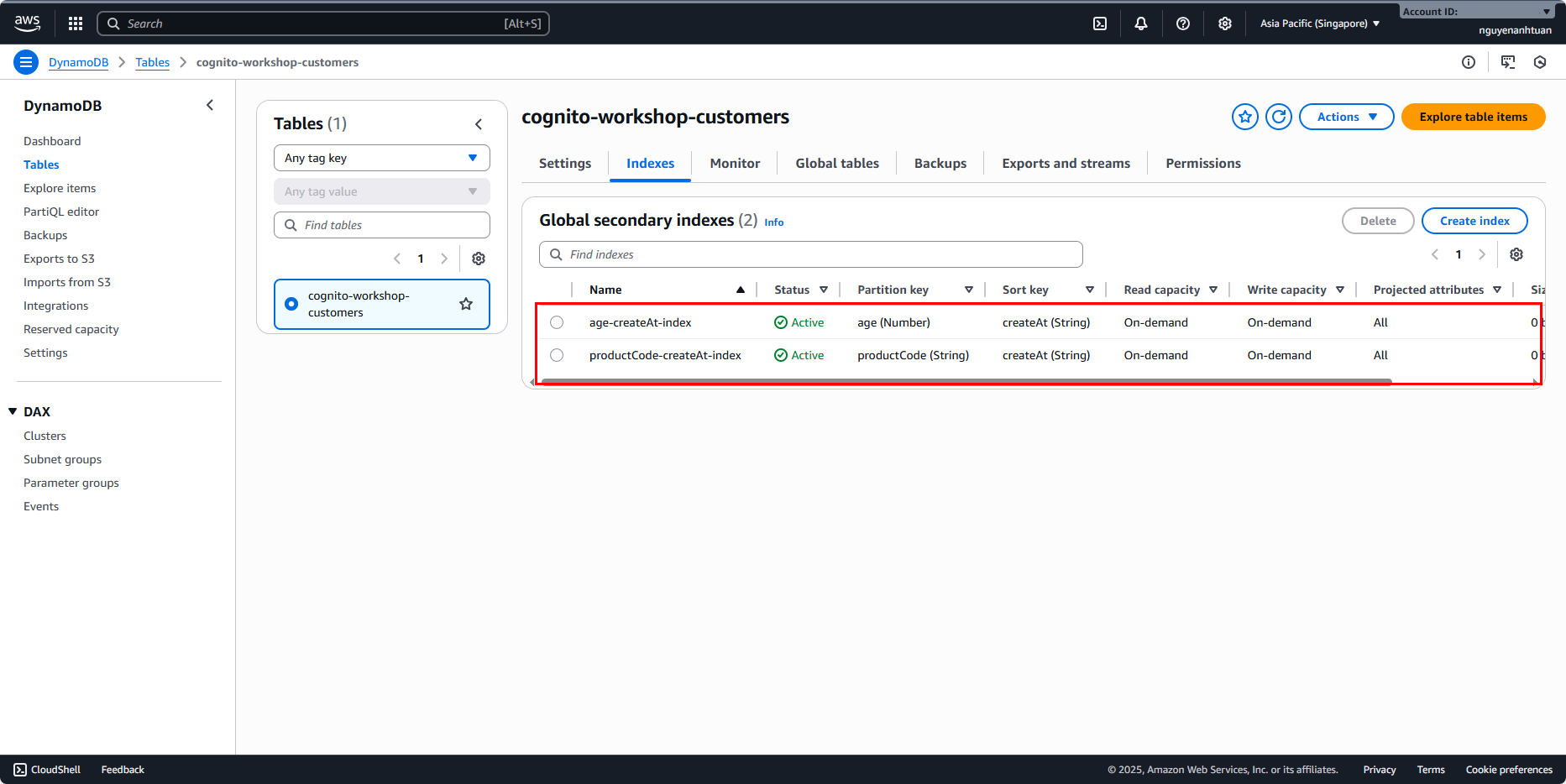
Okay, we’ve successfully created the table in DynamoDB. In the next step, we’ll build the application to implement the functionalities described at the beginning.