3.1. Design Dynamodb table
Table Design Idea
The first thing we need to do is design the database. To design it properly, we also need to understand the basic idea of DynamoDB. As I mentioned before, DynamoDB is designed to store data in partitions. Simply put, you can store a lot of data on the same disk, like how your hard drive can be divided into multiple partitions, but essentially it’s still one single drive.
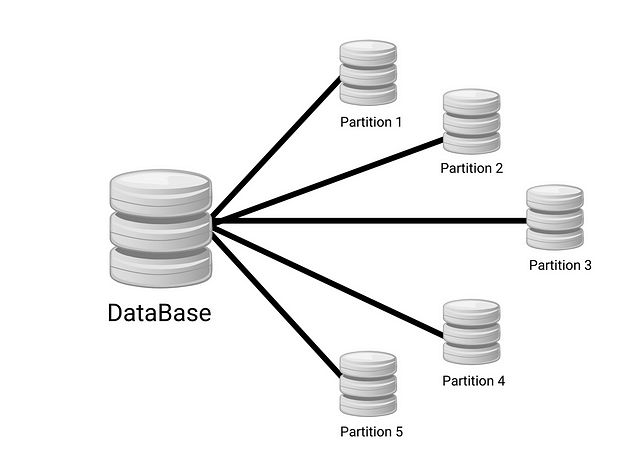
With this storage approach, querying data will be much faster. When I want to query a specific item, the engine reads directly from that partition and scans for items inside it instead of scanning the entire table or reading by index. Partitioning is also a technique used in other types of databases, but it’s usually implemented at the system level. With DynamoDB, however, it’s implemented at the application level.
Do you remember the customer data model table I showed at the beginning of Part 1?
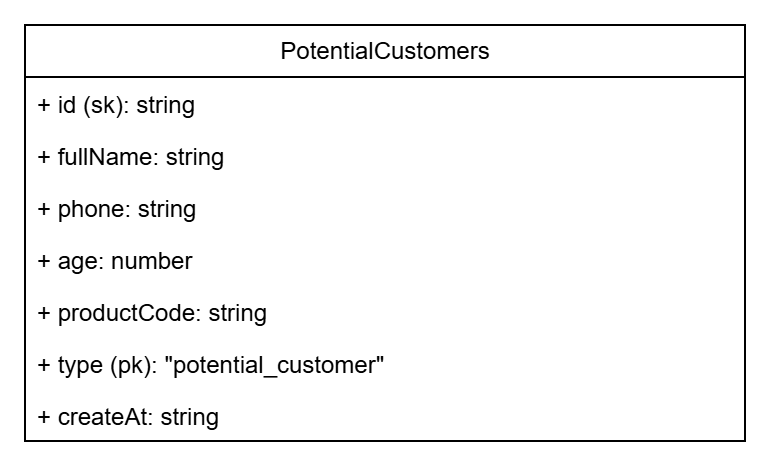
In this table, I marked id as SK and type as PK. SK stands for SORT KEY and PK is PARTITION KEY. As the names suggest, the partition key is used to divide data into partitions, and the sort key is used to order data within each partition. Normally, id would be the primary key. But in DynamoDB, we treat it as a key within a partition, while the partition key is used to group data.
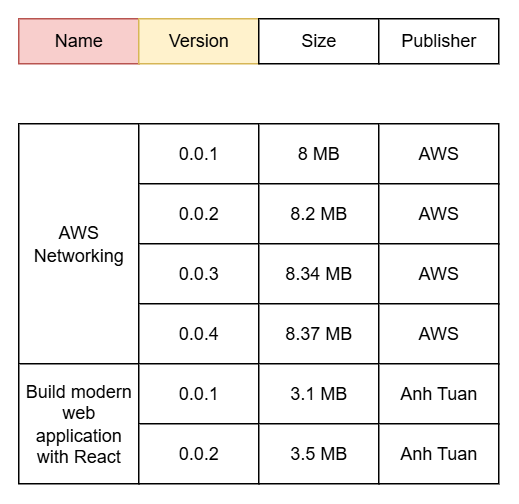
In this article, I can’t fully describe all the great things about DynamoDB, since it only has one partition key. But in other scenarios, DynamoDB is a great choice if you need to store unstructured data. For example, if I want to store metadata for a file with different versions, I could design DynamoDB like this:
- Name as the partition key.
- Version as the sort key.
Then my data might look like this:
In DynamoDB, we also have a primary key, which is divided into two types:
- Partition key: the primary key is just the partition key. However, this type won’t let you take advantage of all DynamoDB’s features.
- Composite key: the primary key consists of both a partition key and a sort key, as shown in the example above.
=> In this case, we’ll use a composite key for our customer data.
We already have an idea for the partition key, but what about the sort key? AWS recommends that when designing a sort key, it should naturally be sortable. Examples include date strings, alphabetical characters, or numeric sequences. So in this part, I’ll design the sort key as prefix + sortable string. Why a prefix? To make querying easier. For example, if I want to query a partition where the sort key starts with a certain string A, then A is the prefix.
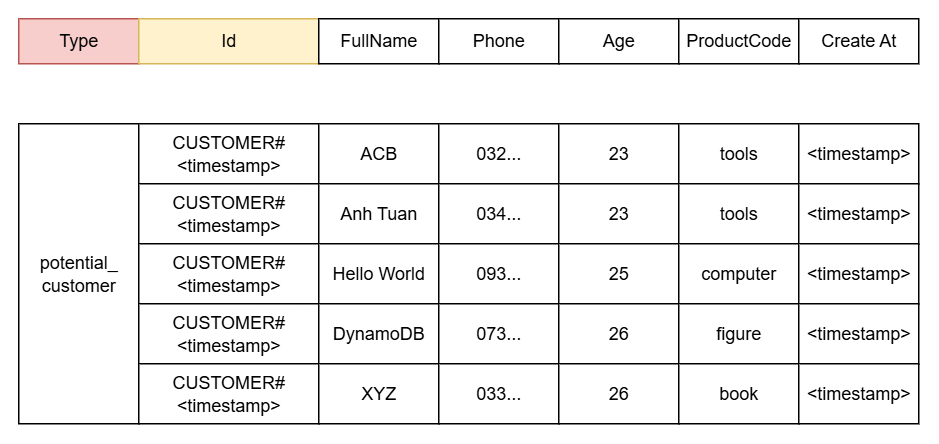
Okay, that’s the basic design idea. In the next part, we’ll expand on this idea.
More idea
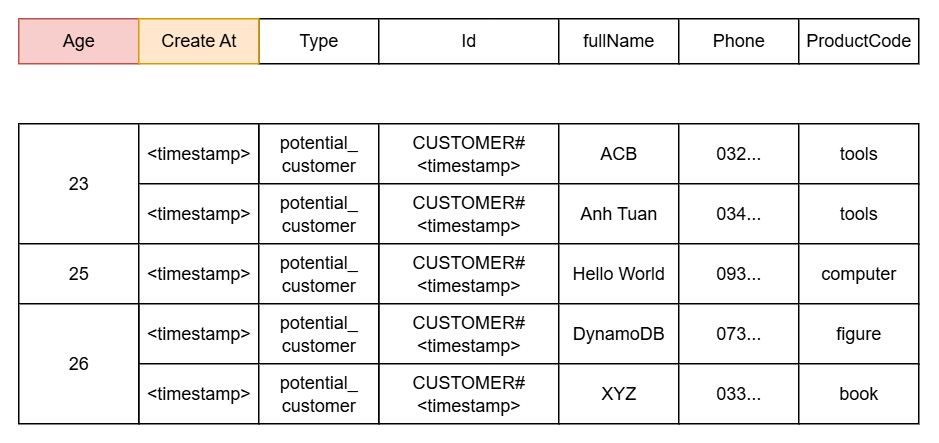
Now it’s time to talk about the Global Secondary Index. Suppose I want to query like “Find customers at age –” or “Find customers interested in product –,” how would I do that? DynamoDB supports this through Filters, but Filters work like this: first, the engine finds all records (or N records if there’s a limit), then applies the filter to select records matching the conditions. This makes query time longer if we have many filter conditions and many records to search.
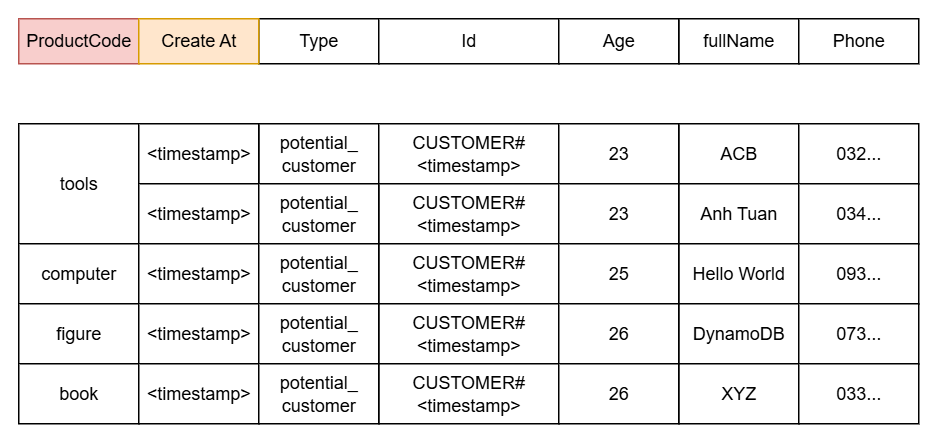
At this point, I’d think about another solution — using a Global Secondary Index (GSI). With this approach, DynamoDB implicitly creates additional storage regions, which can increase storage usage but greatly improve query performance.
For our use case, I’ll design the GSI like this:
- By Age, we’ll have:
- Partition key: age
- Sort key: createAt
- By Product Code, we’ll have:
- Partition key: productCode
- Sort key: createAt
We can imagine the table looking like this:
At this point, I think you already understand the basics of DynamoDB. In the next part, we’ll proceed to create the table along with the corresponding attributes.