2.2. Setup Client app
Setup Client App
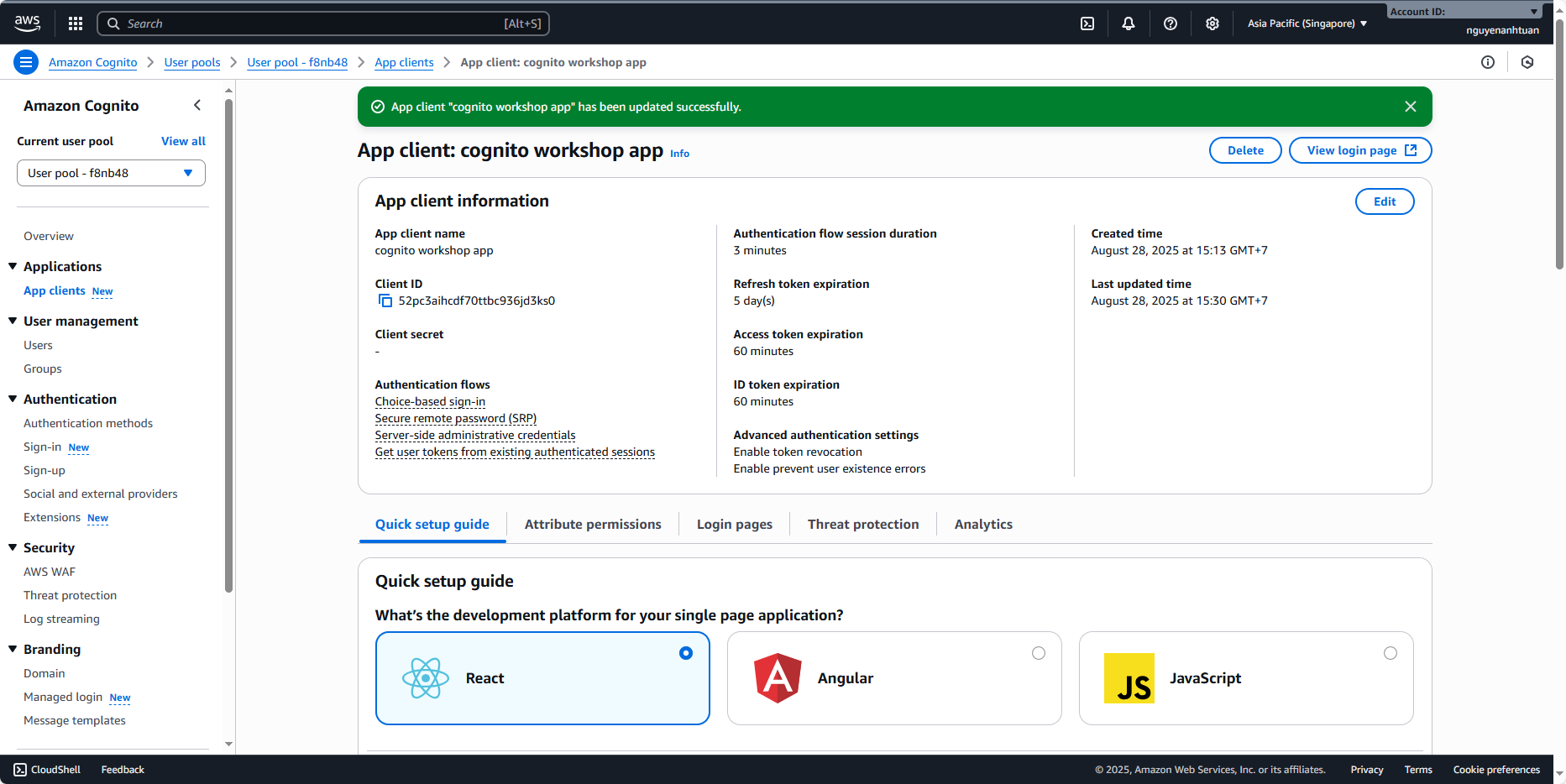
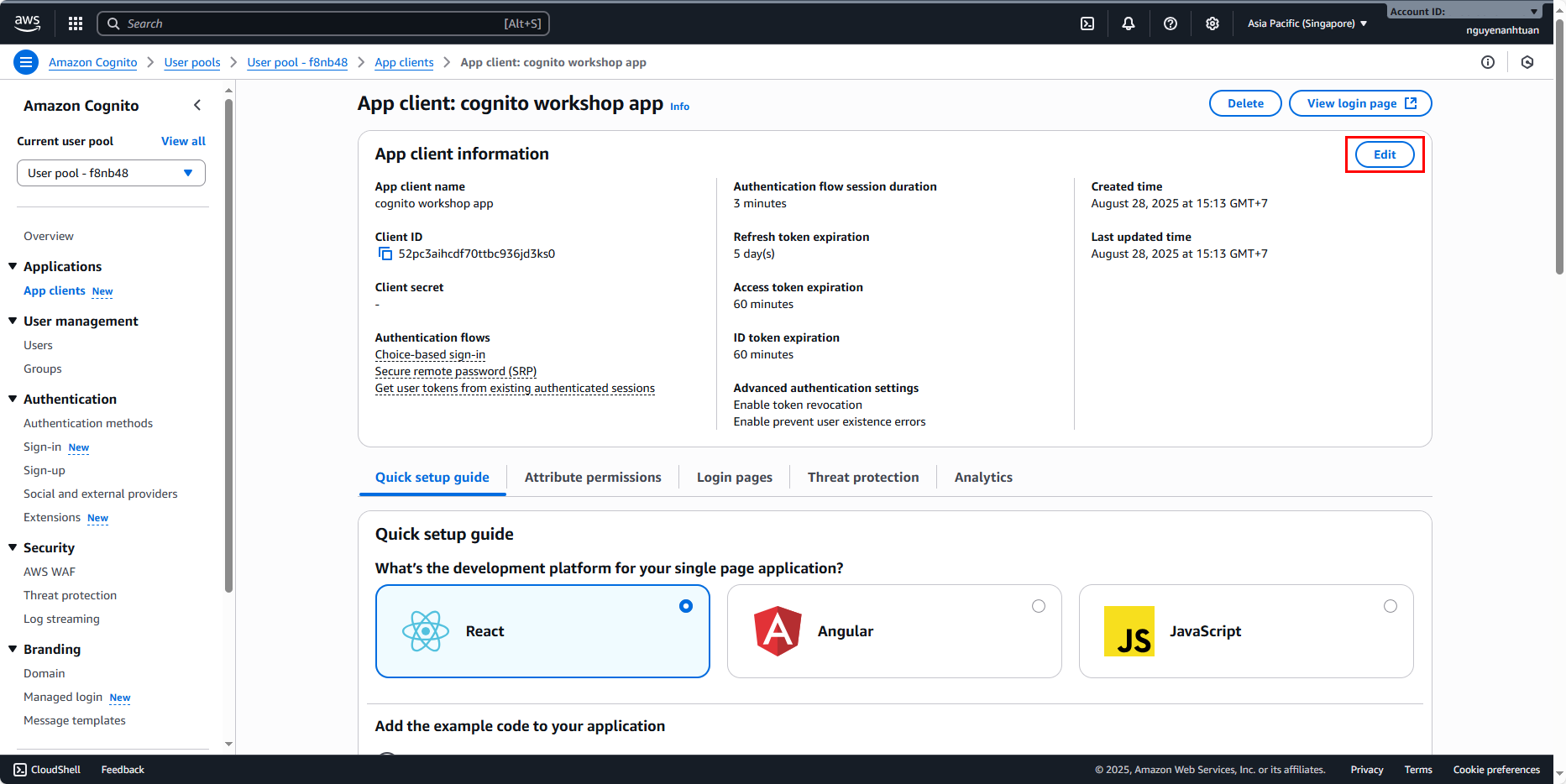
In the menu on the right, you can see Application > App clients, click on it and you’ll see the App client that was created along with the User Pool.
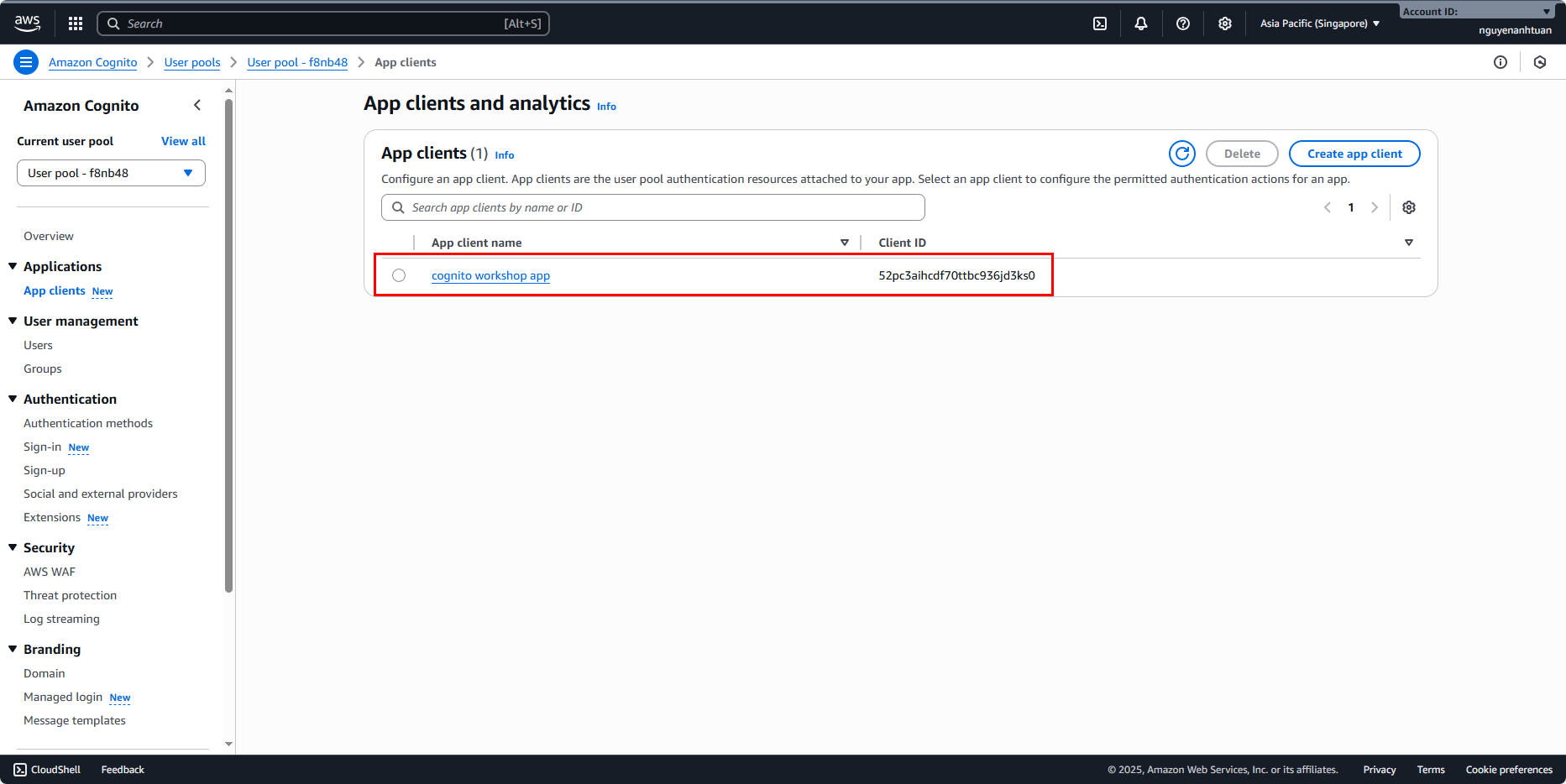
Clicking on that app client will show you information like this.
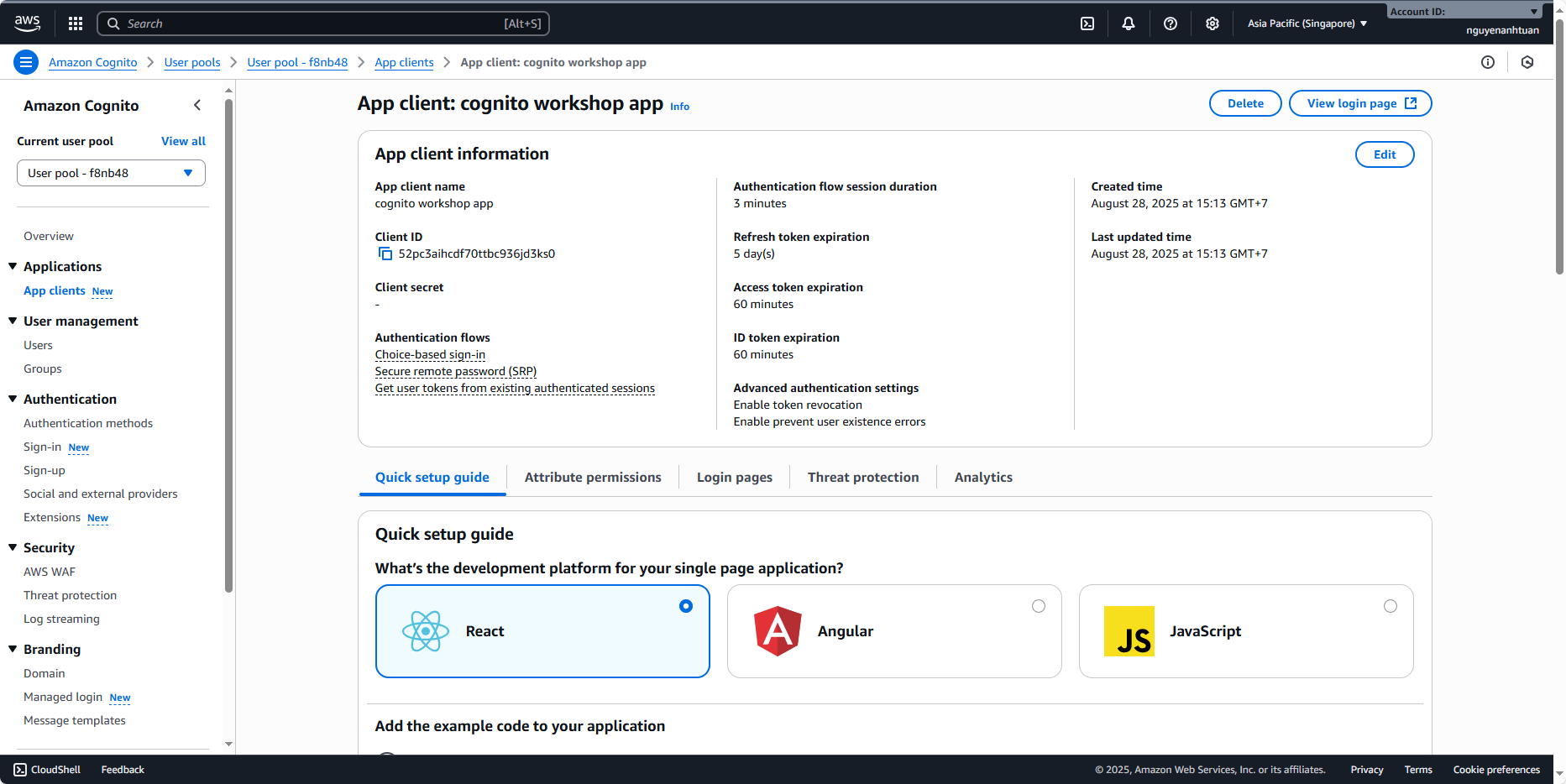
Currently, there are no users, but the login flow still doesn’t allow users to log in with USERNAME and PASSWORD. That’s why we need to add this feature.
Click Edit at the top right corner of the App client information section.
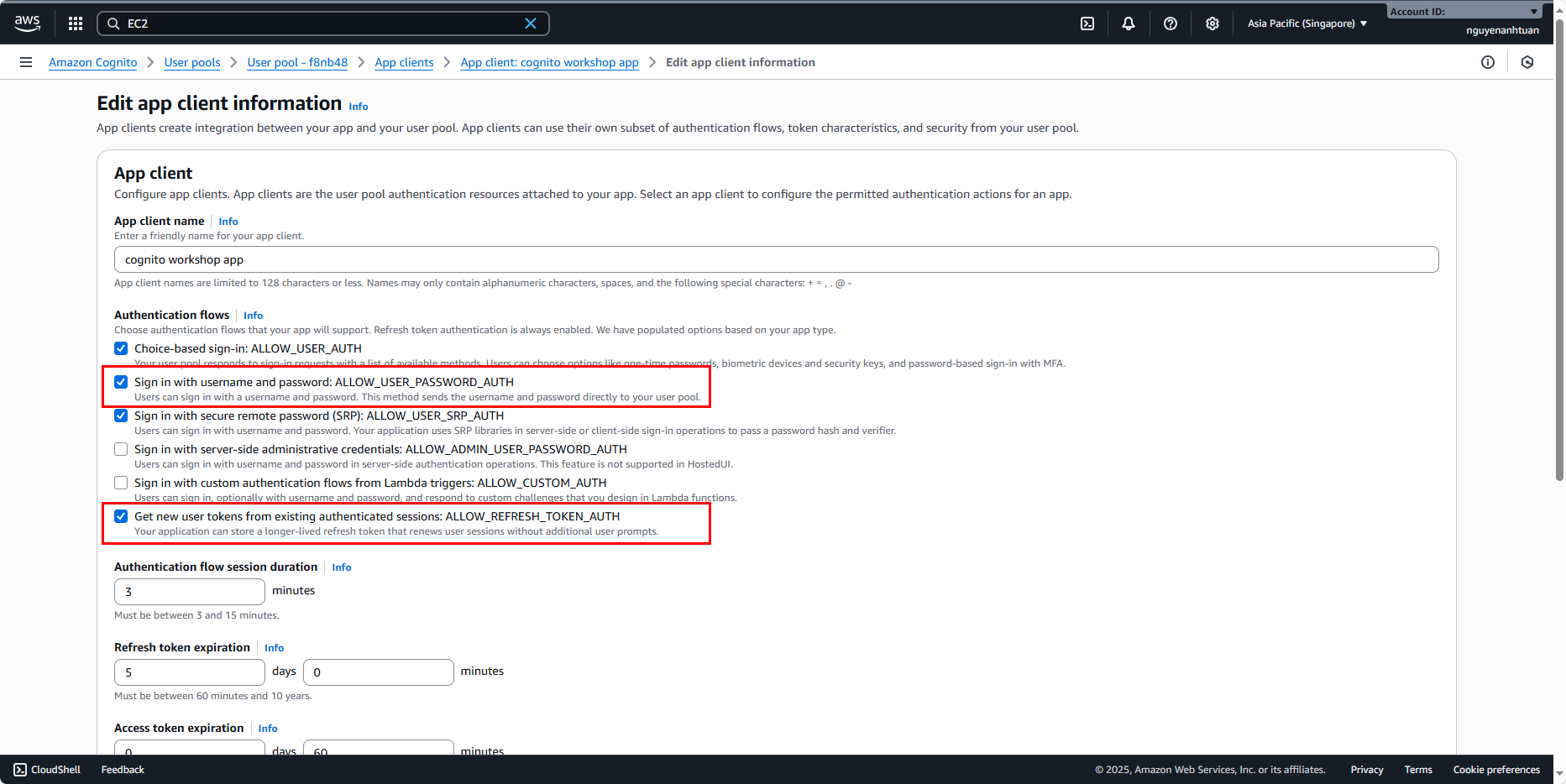
Here, check the option: Sign in with username and password: ALLOW_USER_PASSWORD_AUTH. With this option, the App client allows server-side applications to use user credentials to log in and obtain tokens from Cognito with AWS Credentials (specifically, the Access Key that we’ll set up shortly). This feature is very important for customizing an Auth module in your server-side application: when users want to log in, they will go through the server you built first, instead of directly interacting with the client-side app.
Also, make sure to check Get new user tokens from existing authenticated sessions: ALLOW_REFRESH_TOKEN_AUTH if it’s not already selected. This feature is also important because it allows you to re-claim tokens that have expired previously.
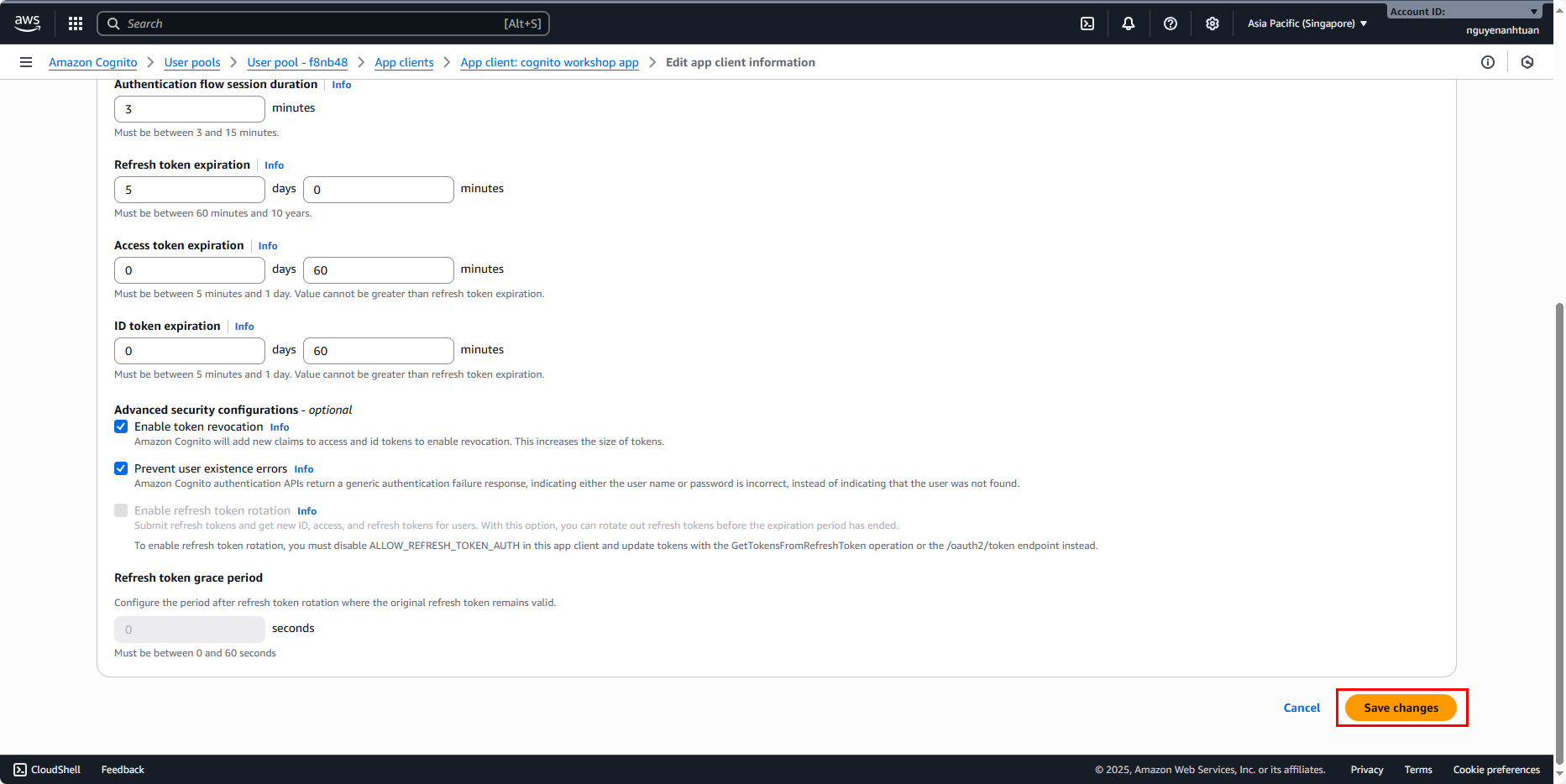
Click Save changes.