2.1. Create User Pool
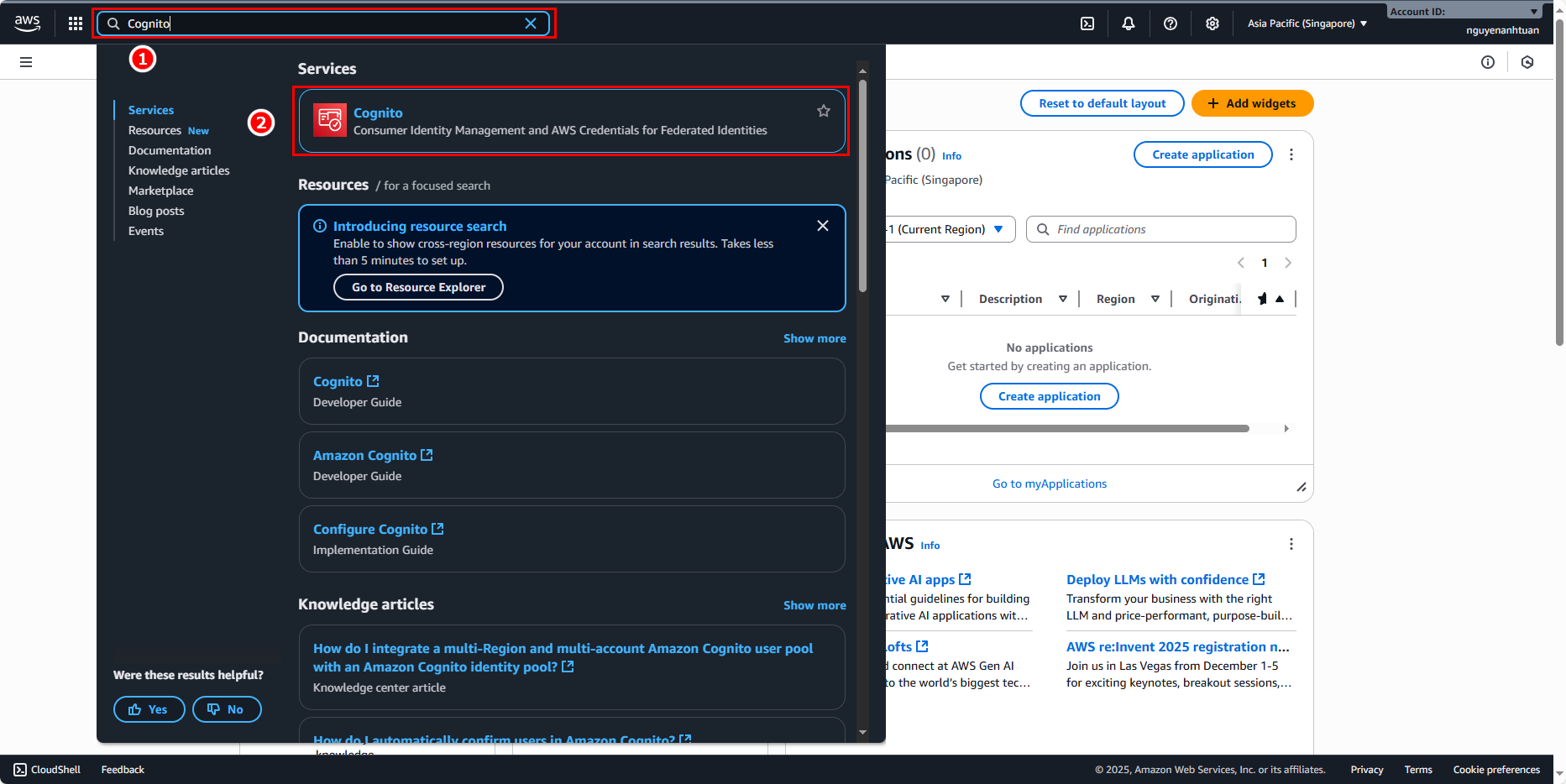
Go to the AWS Console and in the search bar:
- Enter
Cognito. - Select Cognito.
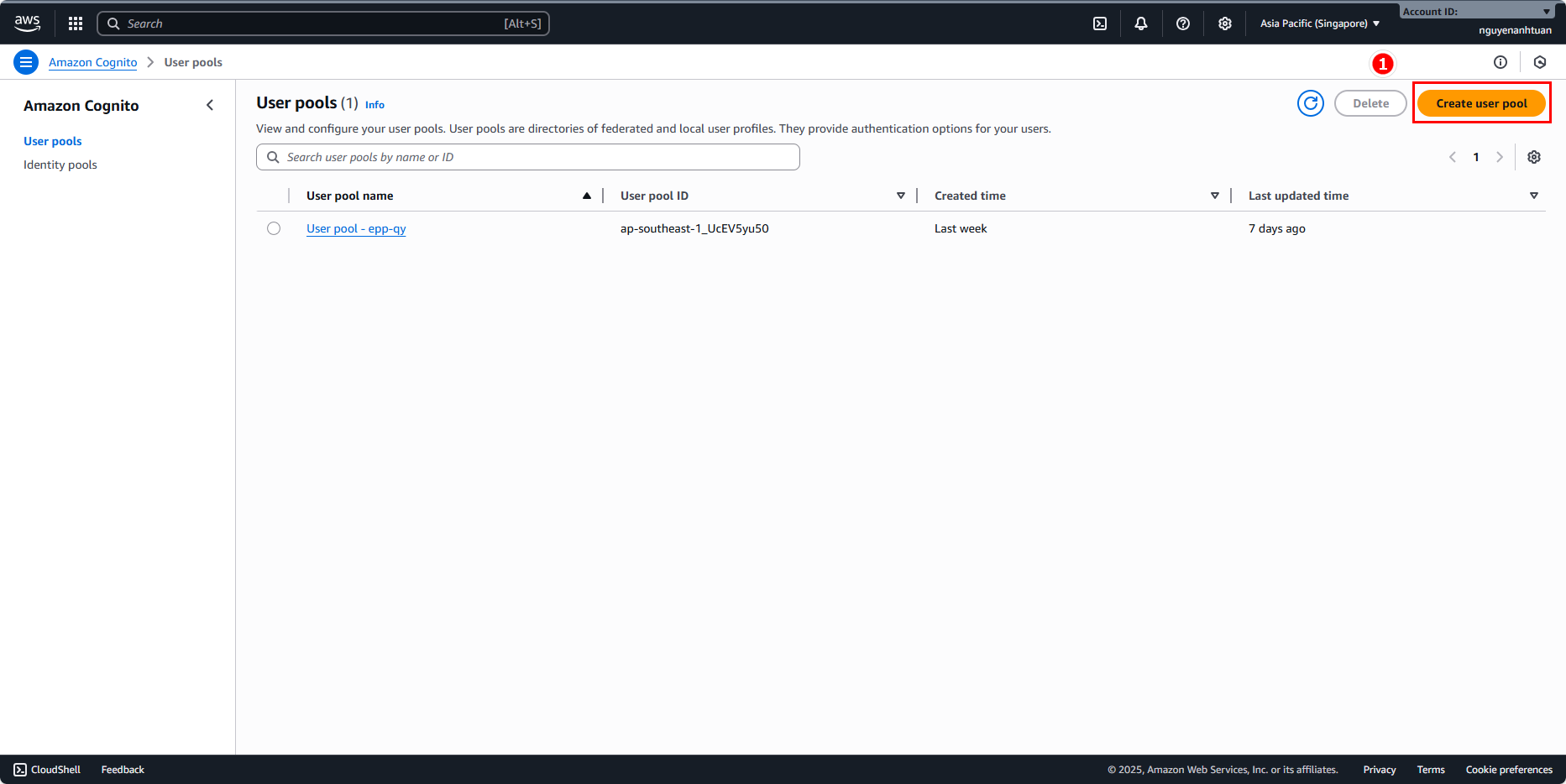
On the Cognito Console homepage, select Create user pool.
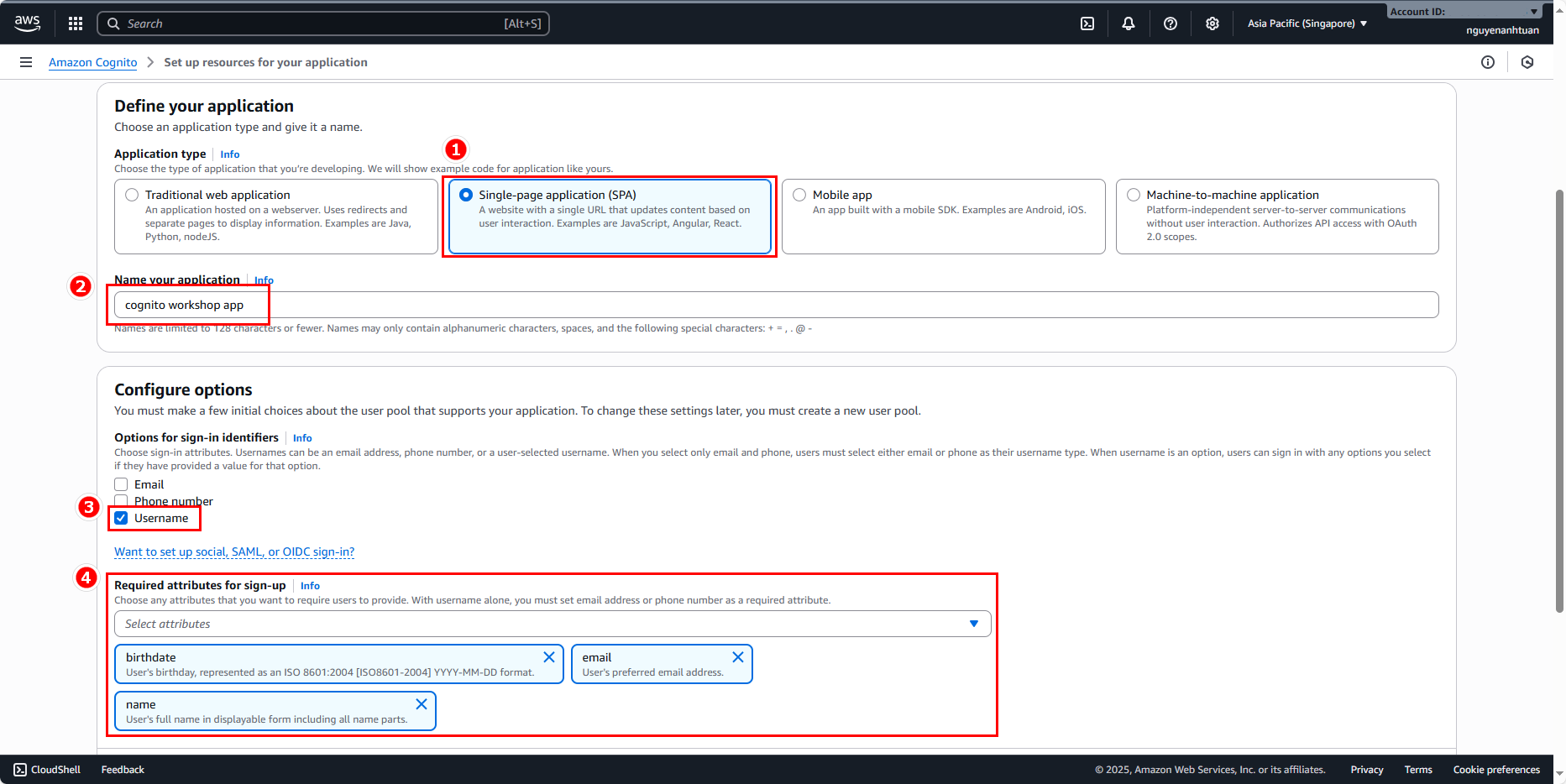
Then we will create a User Pool with the following information:
- Application Type: for simplicity, we’ll choose Single-page Application (SPA).
- Name:
cognito workshop app(or any name you like). - Options for sign-in identifier: for simplicity, check email. This is the information we will use to authenticate on login.
- Required attributes for sign-up: select some attributes such as birthdate, email, and name.
Then click Create user pool.
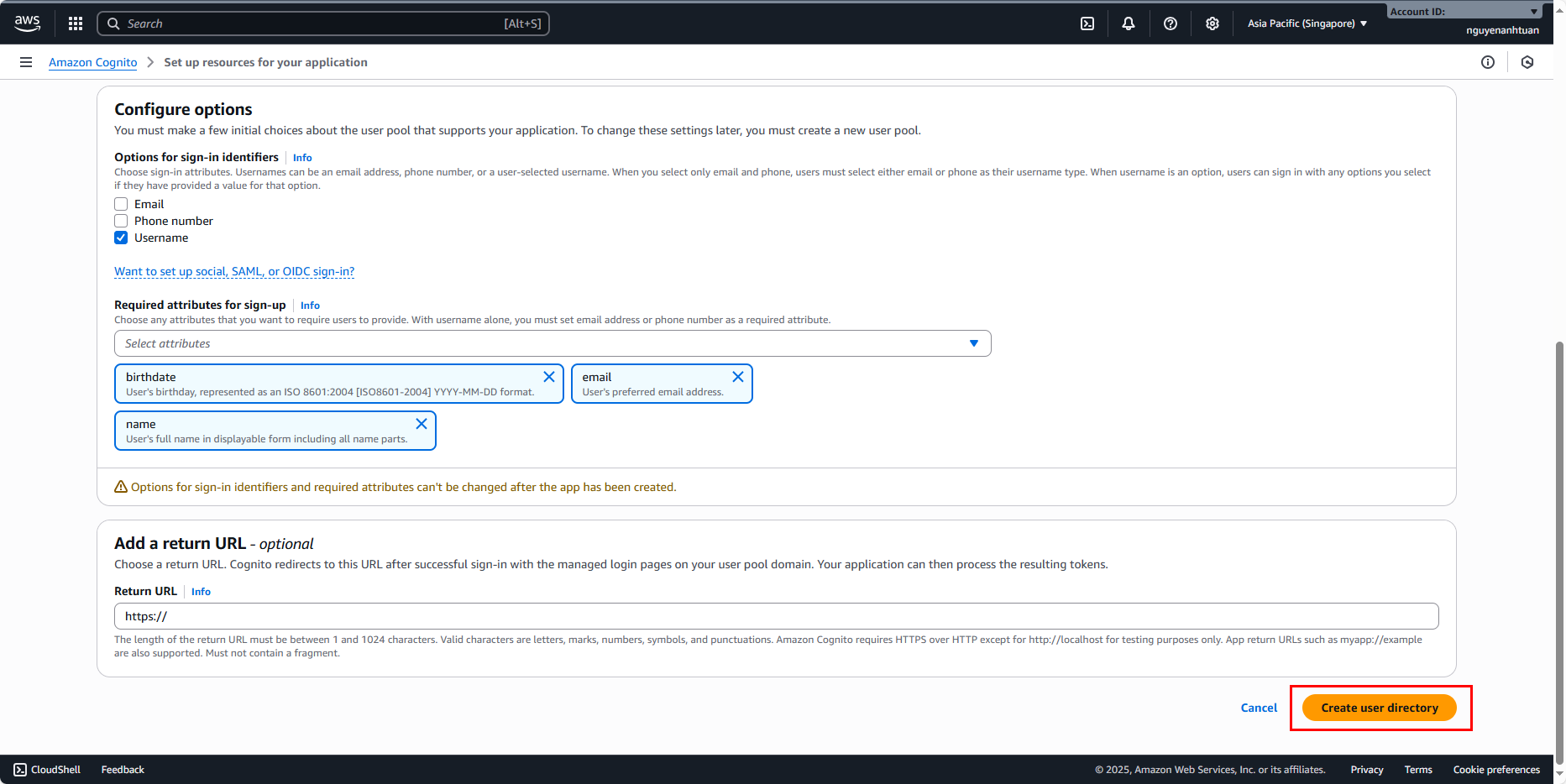
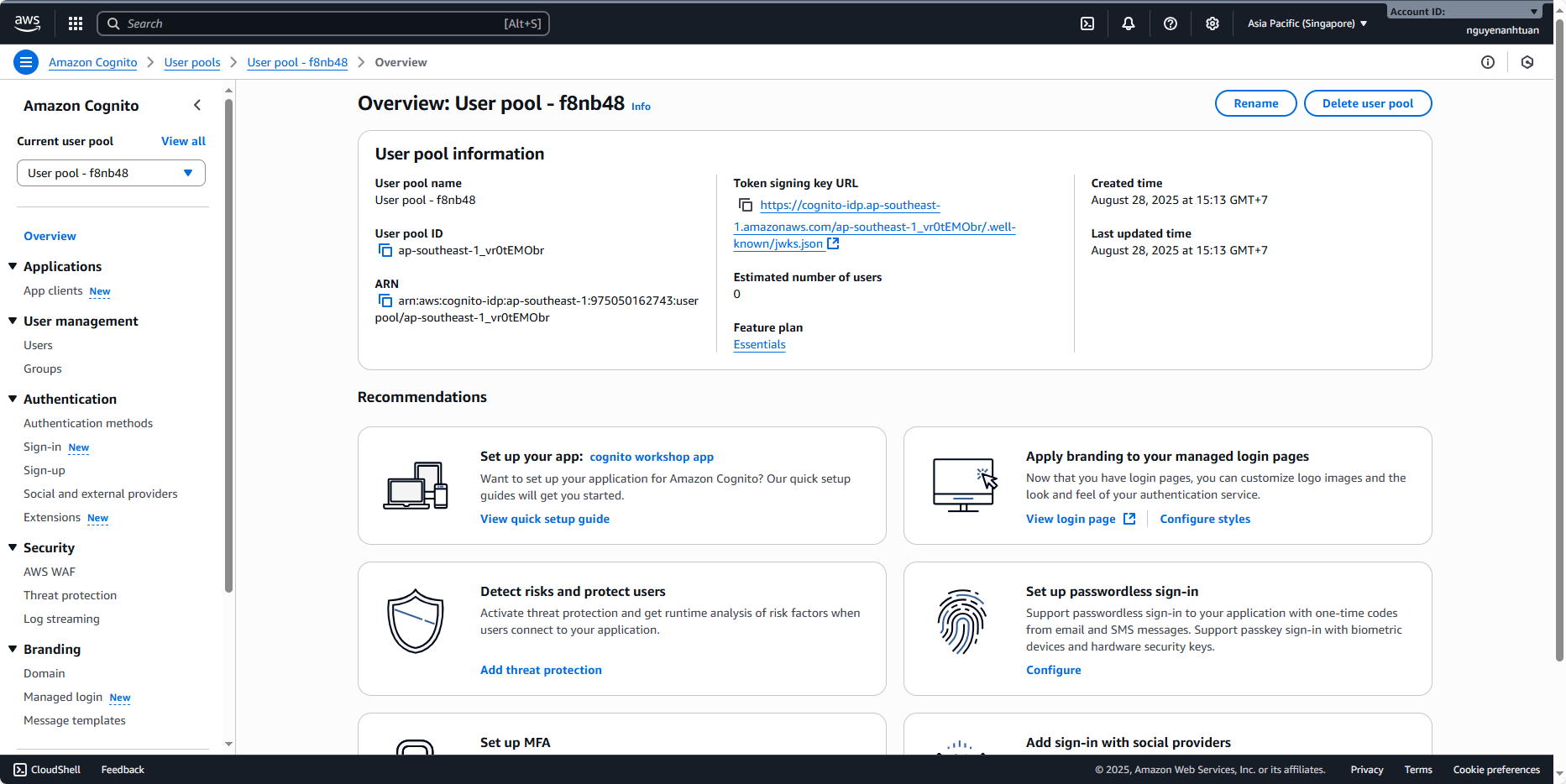
Result