10. Clean up resources
And don’t forget that after finishing the practice, we should clean up and remove the resources we created during the workshop to avoid potential costs.
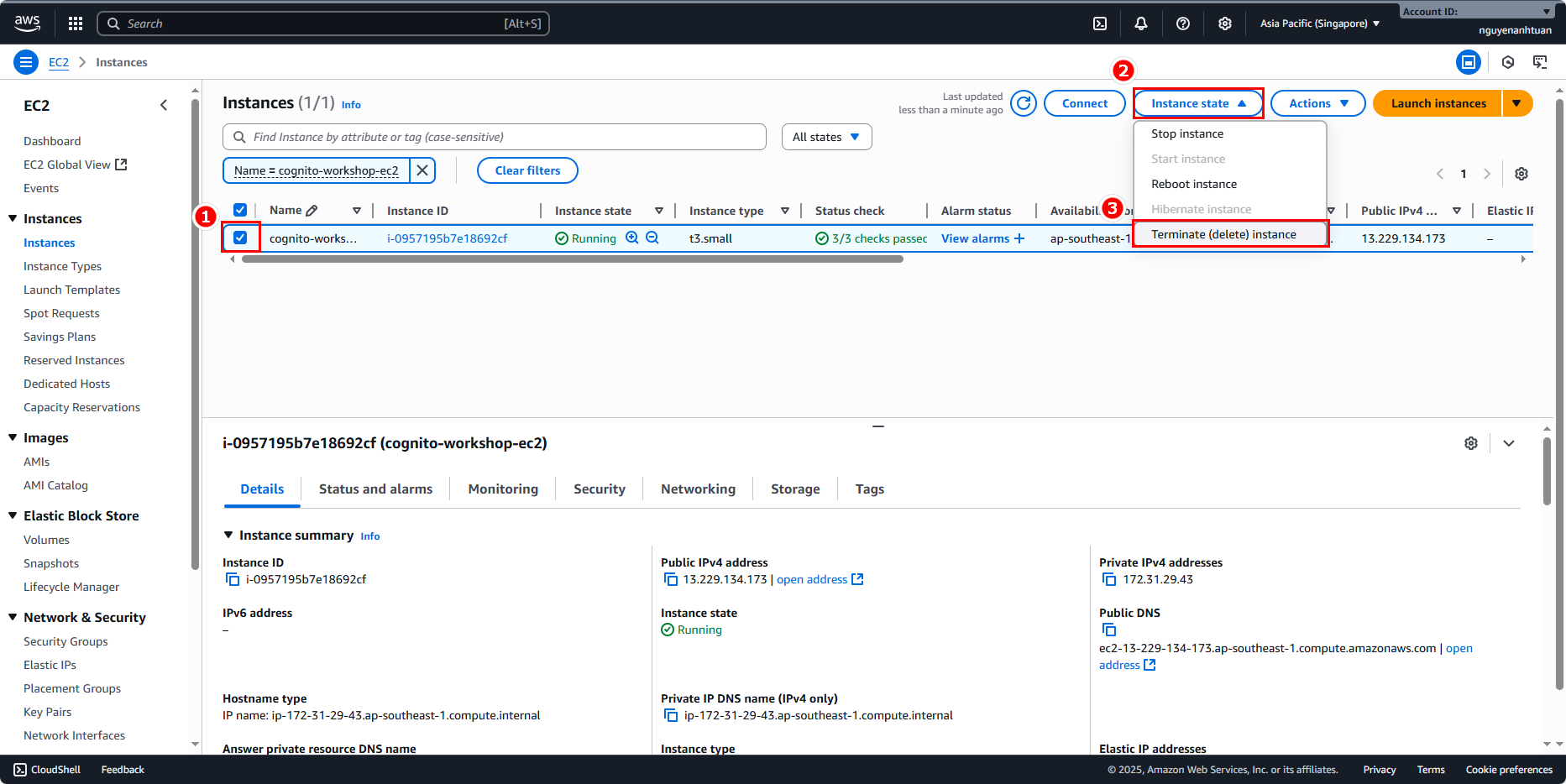
Terminate EC2 instance
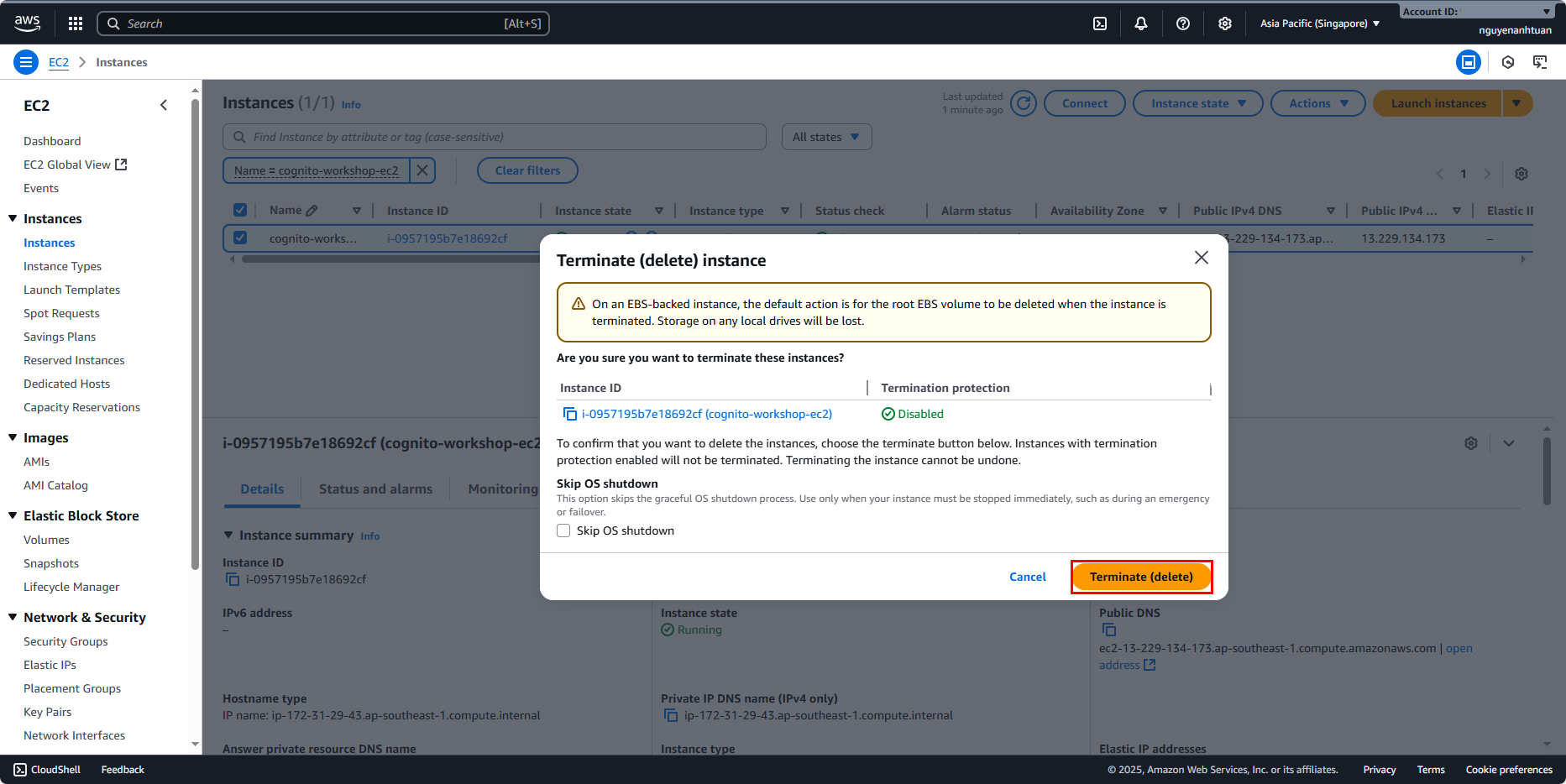
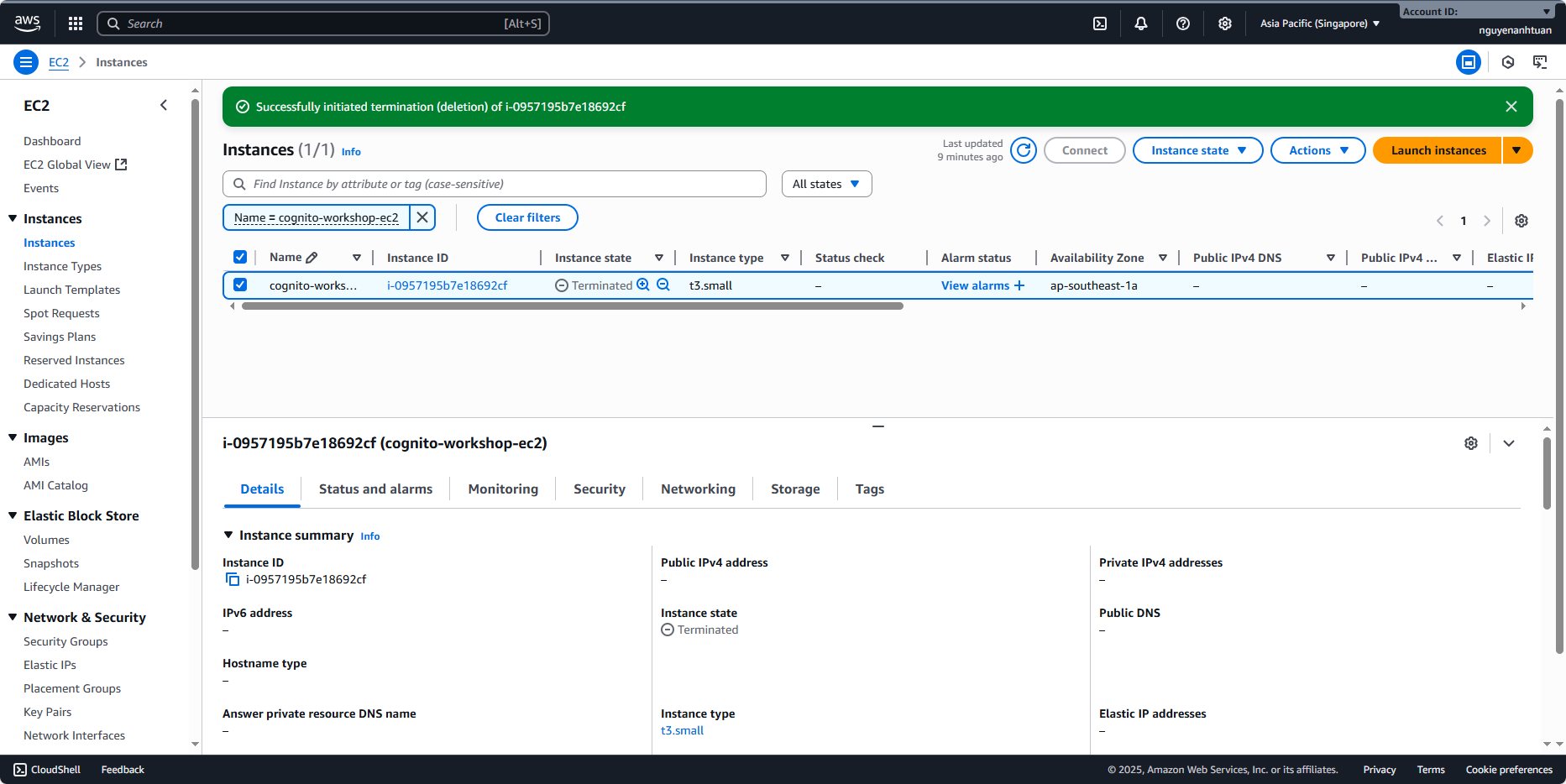
Go back to the EC2 console, select the instance we created. Expand Instance state and choose Terminate.
Remove IAM role
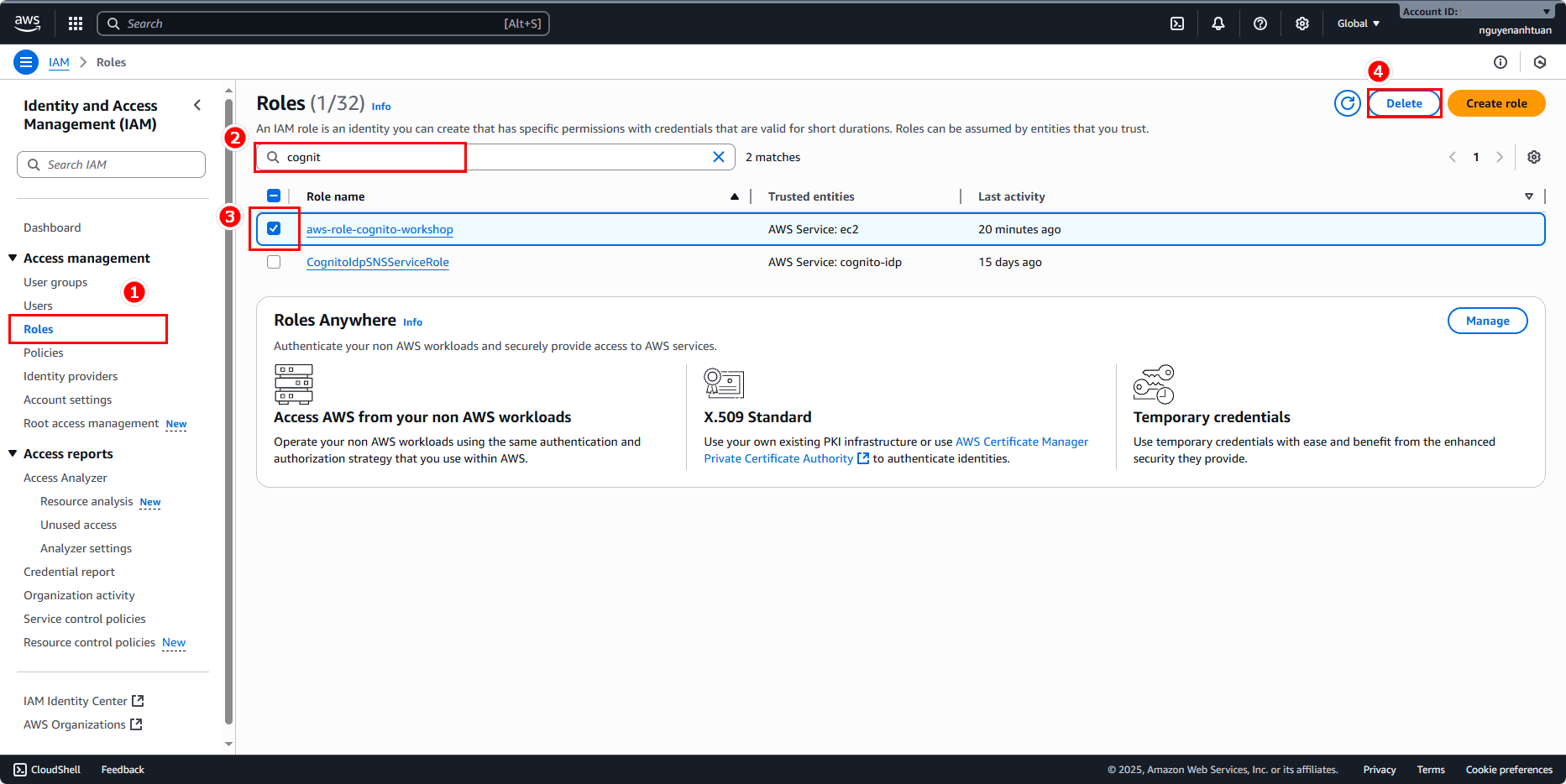
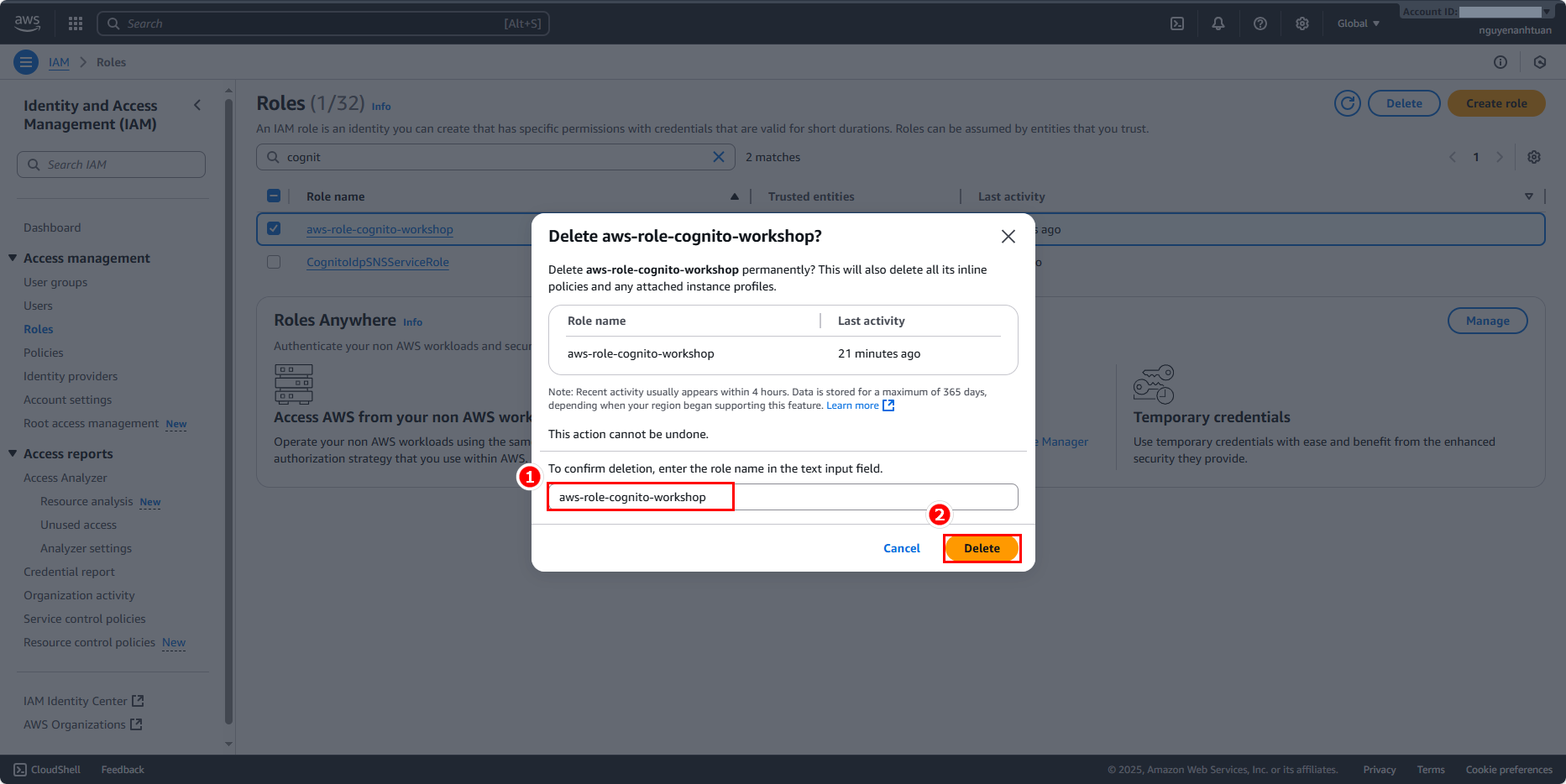
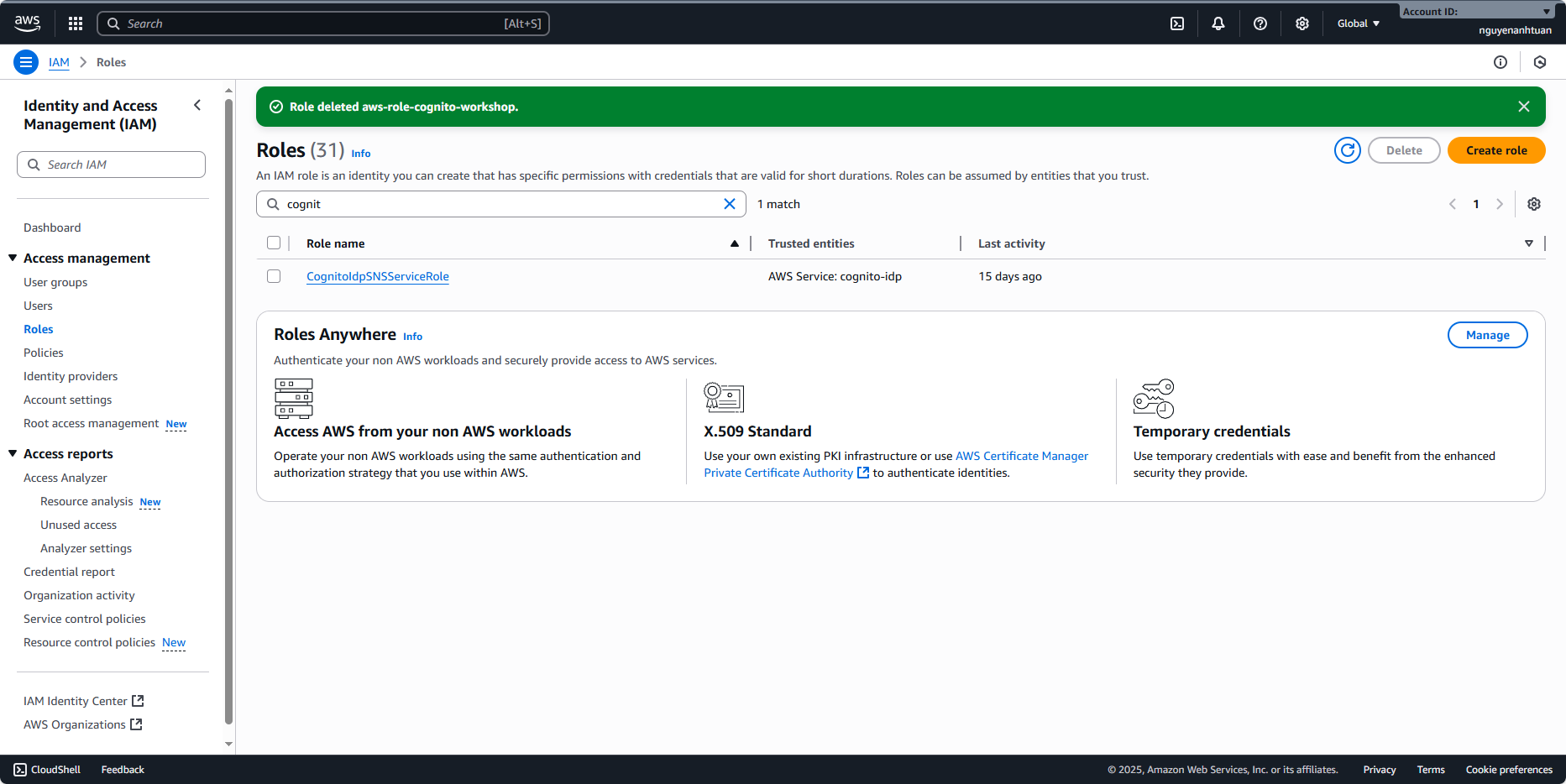
Go back to the IAM console, enter Roles, find the role we created, and click Delete.
Remove user pool
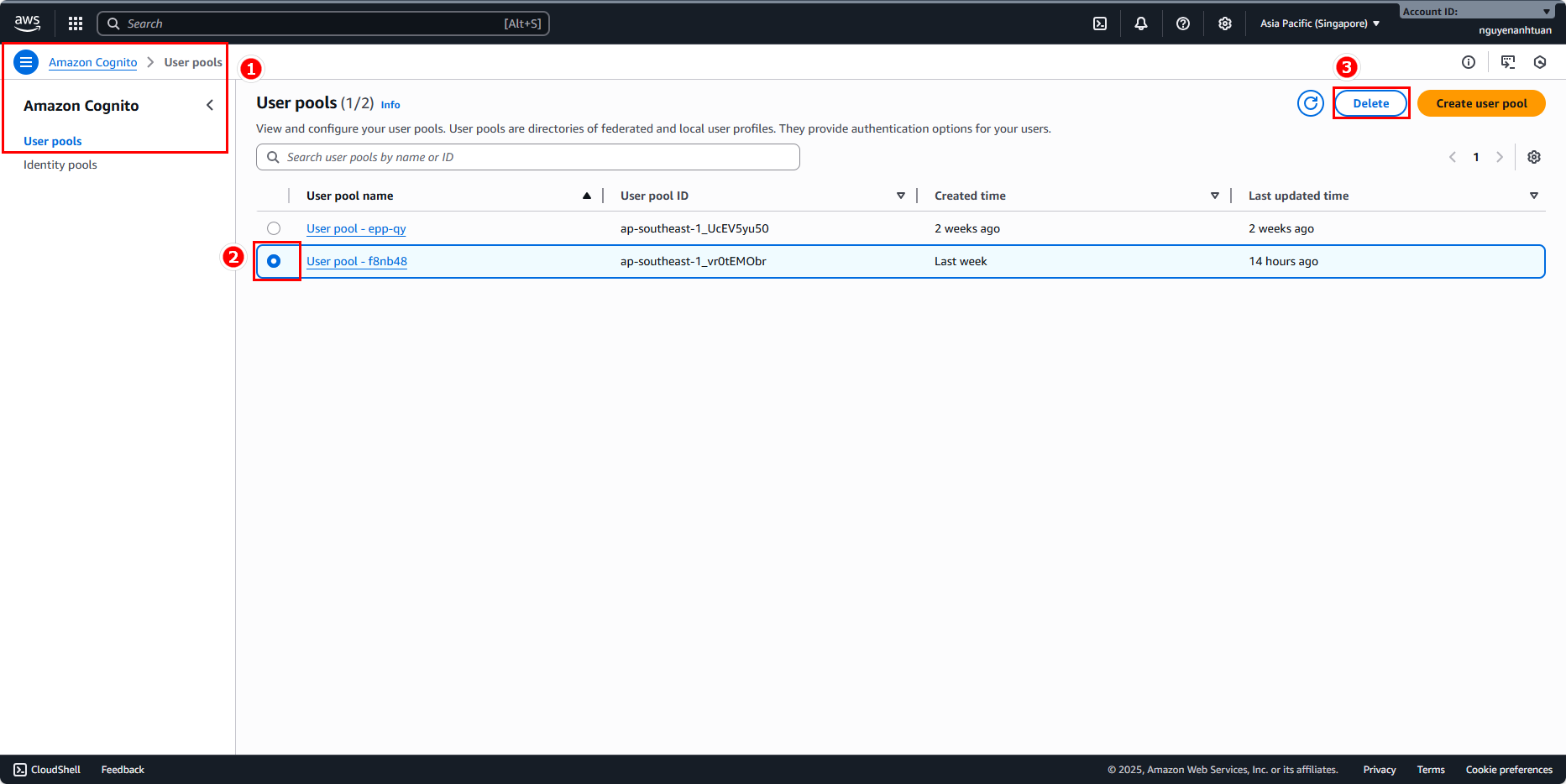
Go back to the Cognito console, select the User Pool we used, and click Delete.
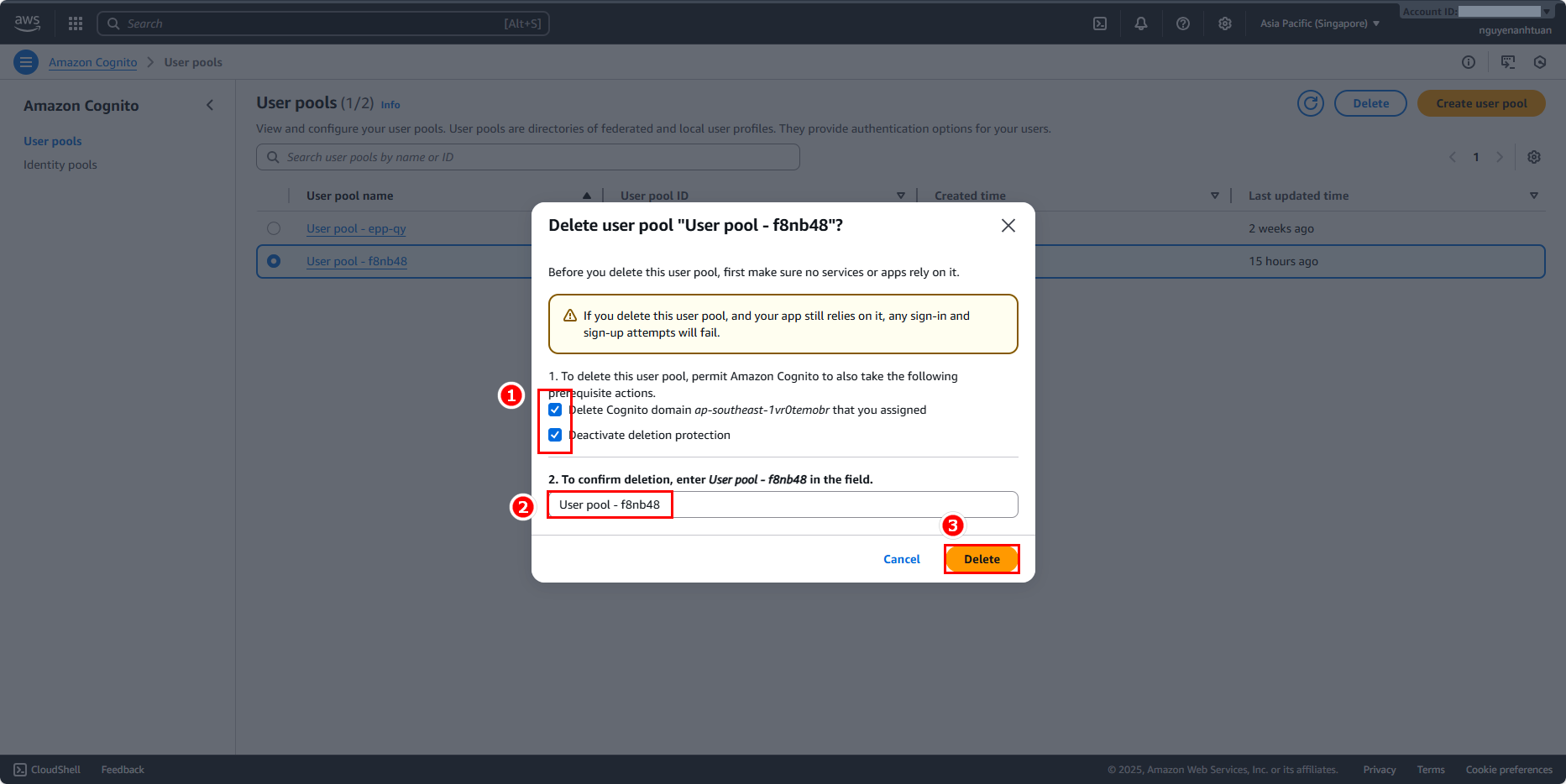
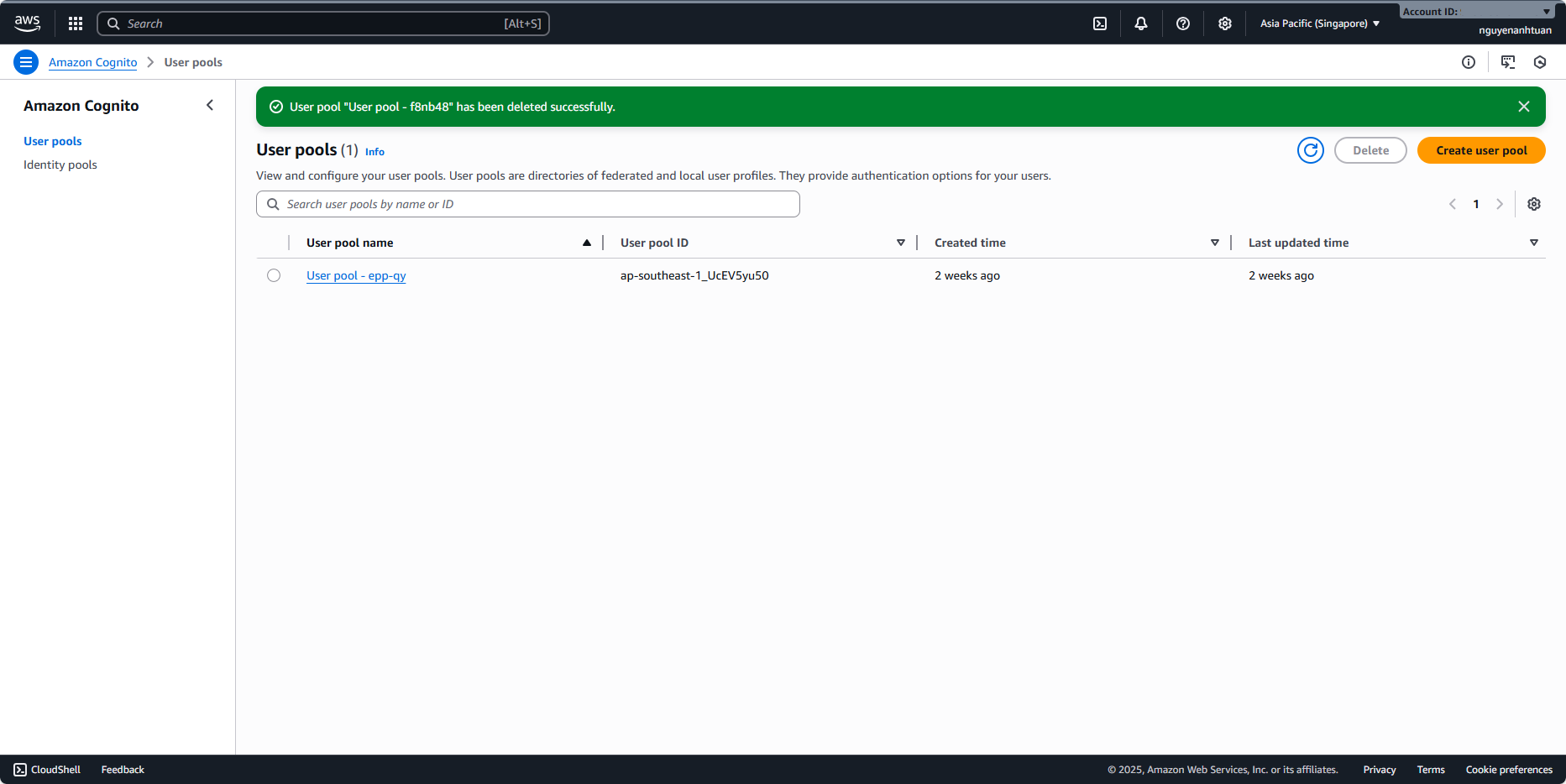
Check Delete Cognito domain … and Deactivate deletion protection. Re-enter the pool name and delete.
Remove DynamoDB table
Go back to the DynamoDB console, select the table we created, and click Delete.
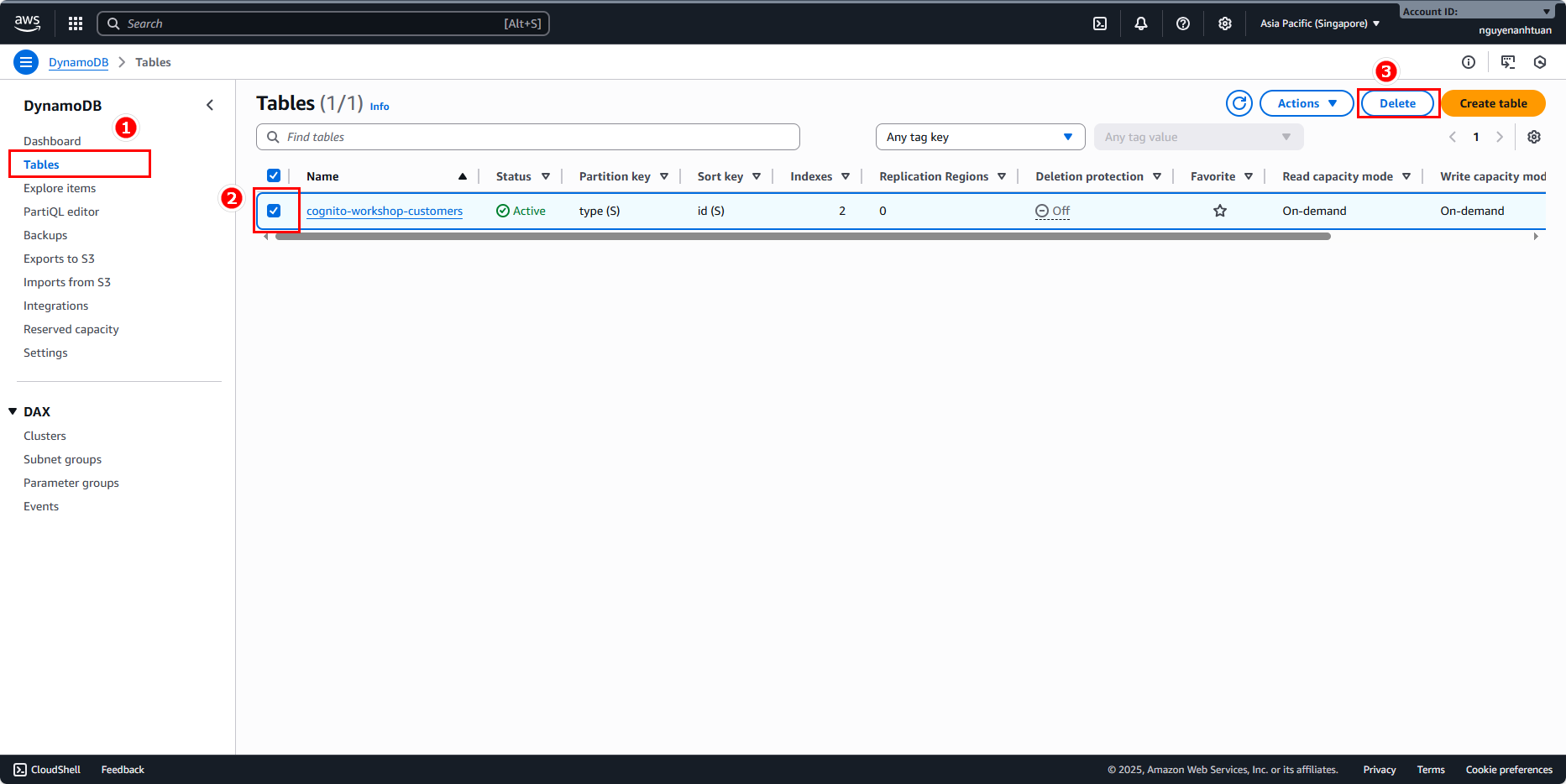
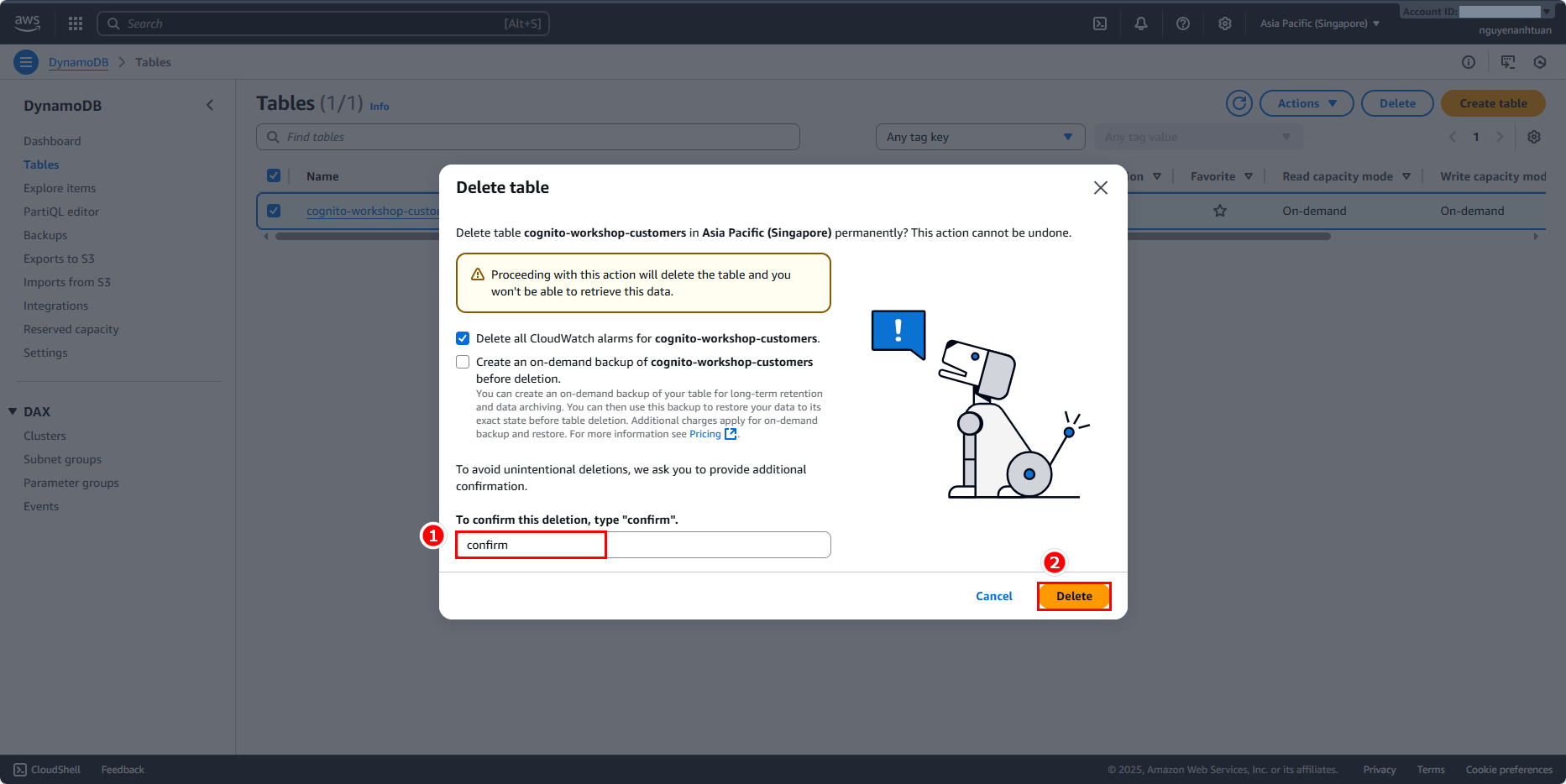
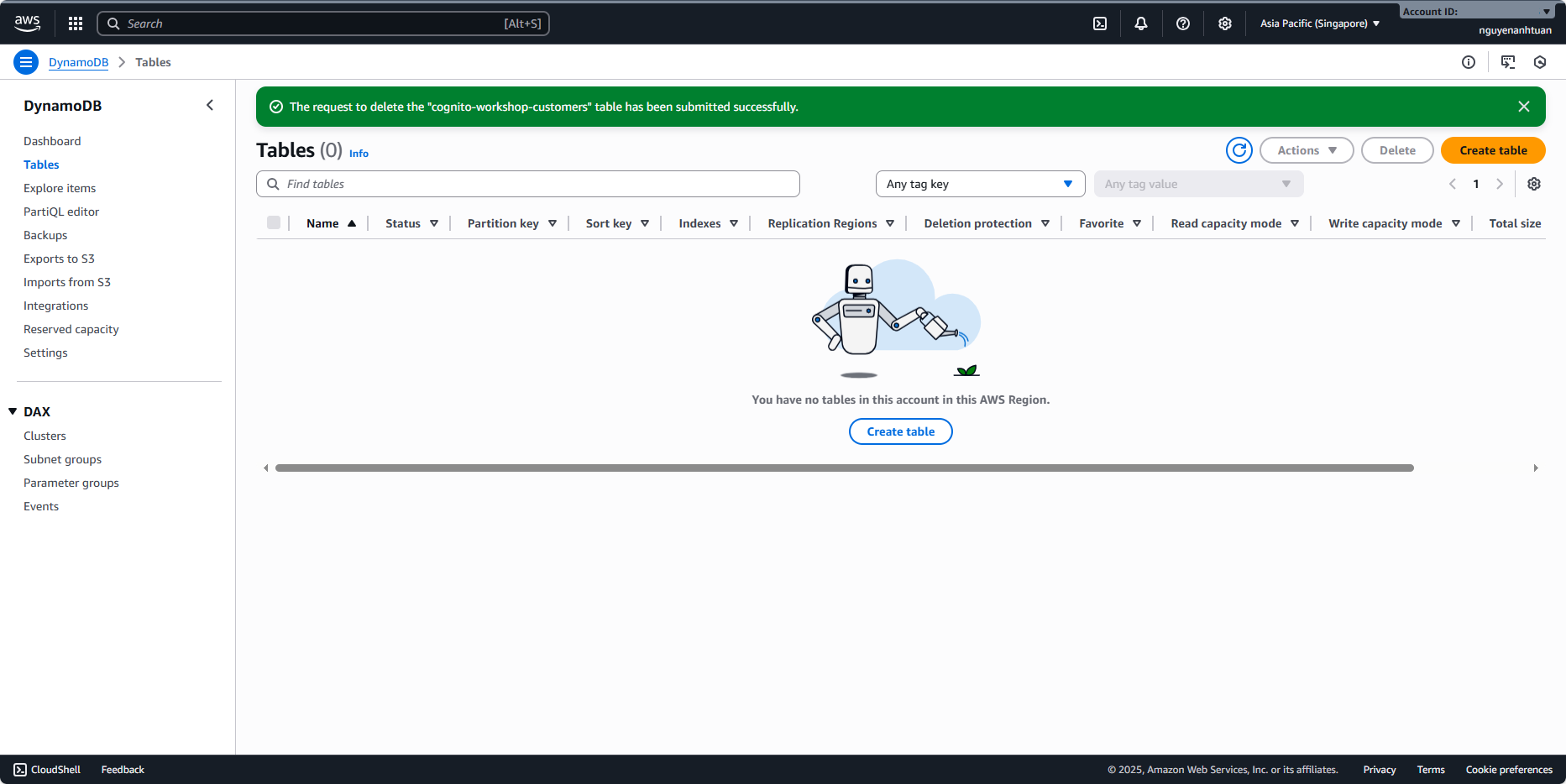
Wait a moment for AWS to delete the table.
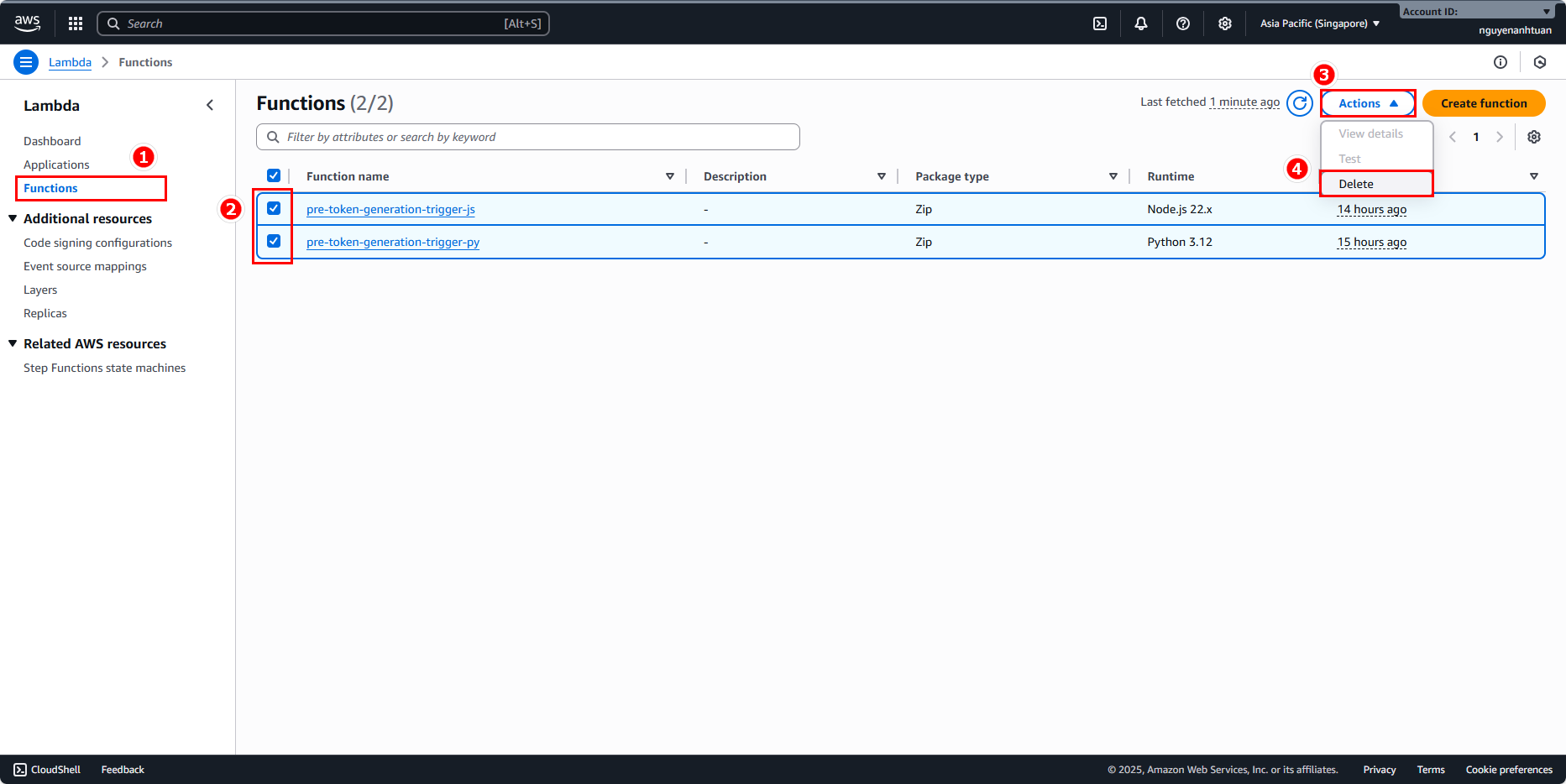
Remove Lambda function
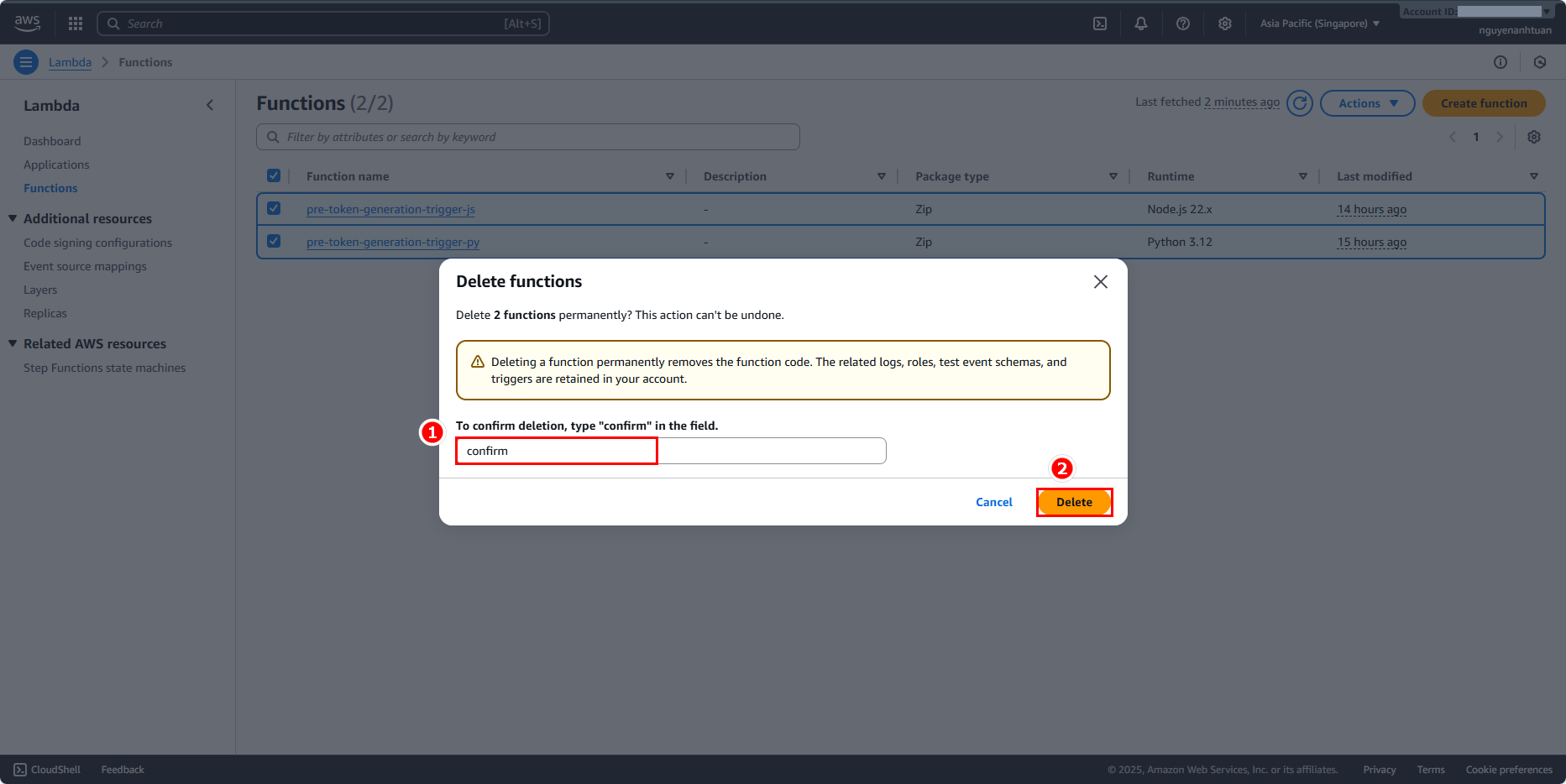
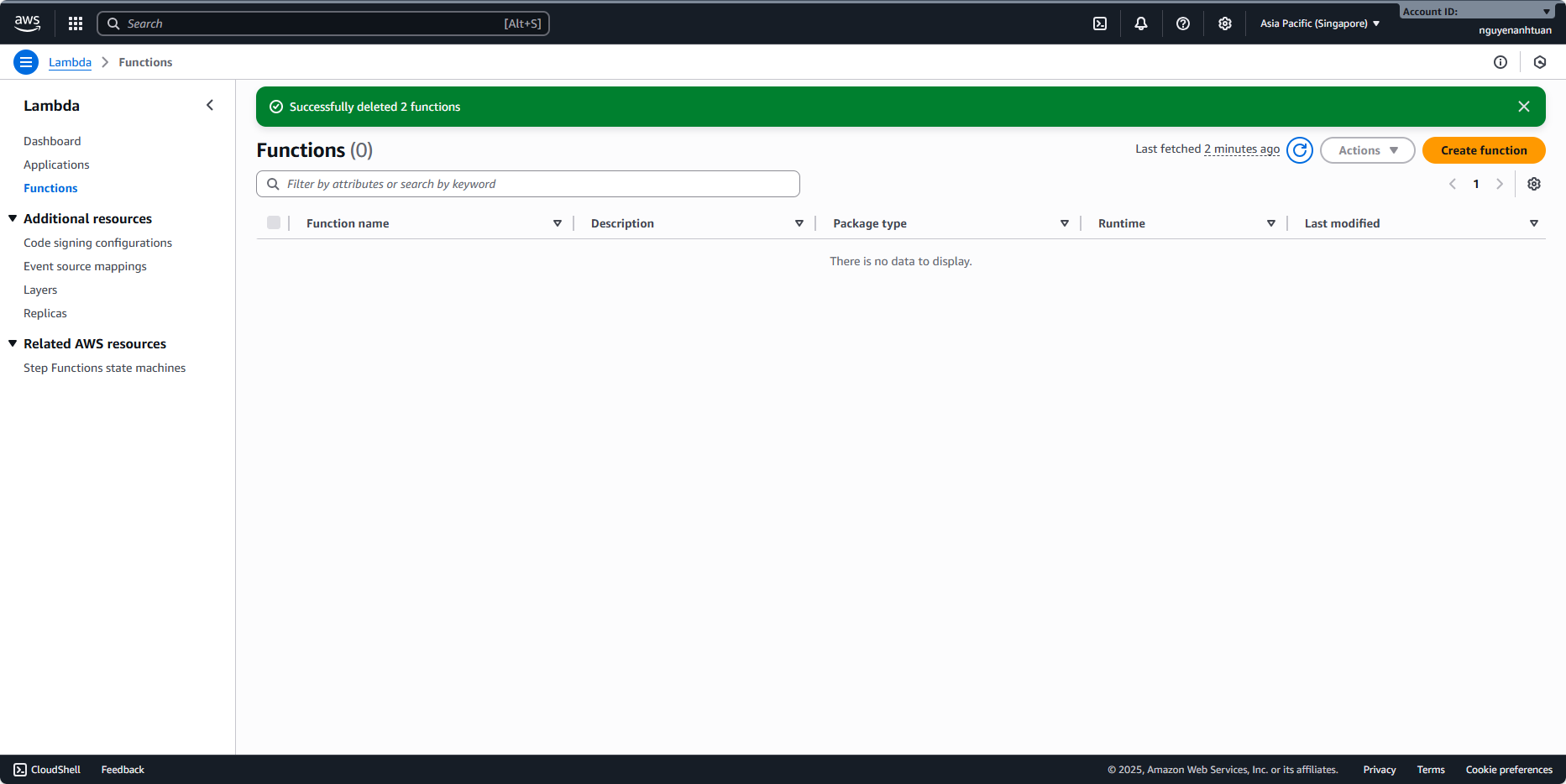
Go back to the Lambda console, select the functions we created, expand Actions, and choose Delete. Since we created 2 Lambda functions in this tutorial, we need to delete both.